

Squarespace is the default recommendation for photographers, and most of the time the default is right. It is also recommended by a lot of people who have never had to move a photographer off it two years later.
We build photography websites for a living, including rebuilds for people leaving Squarespace and people staying on it. This is what it does genuinely well, where it gets frustrating, and how it compares with the two platforms photographers weigh it against.
Checked August 2026. Squarespace changes plan names and pricing regularly, so confirm current figures on their site before committing.
What Squarespace is

An all-in-one hosted website builder: templates, editor, hosting, SSL, domain and support in a single subscription. You do not install anything, you cannot break it in a way that takes the site offline, and there is nothing to update.
That closed-system quality is the whole proposition. You trade control for the guarantee that it keeps working.
Who it suits — and who it does not
It suits you if you want a good-looking site without managing anything, your needs are a portfolio plus a contact form plus maybe a shop, and you would rather spend an evening on your website than a fortnight.
It suits you less if you need heavy client proofing, you want your site to do serious SEO work in a competitive city, or your idea of the design is specific enough that “close to the template” will annoy you every time you look at it.
The editor
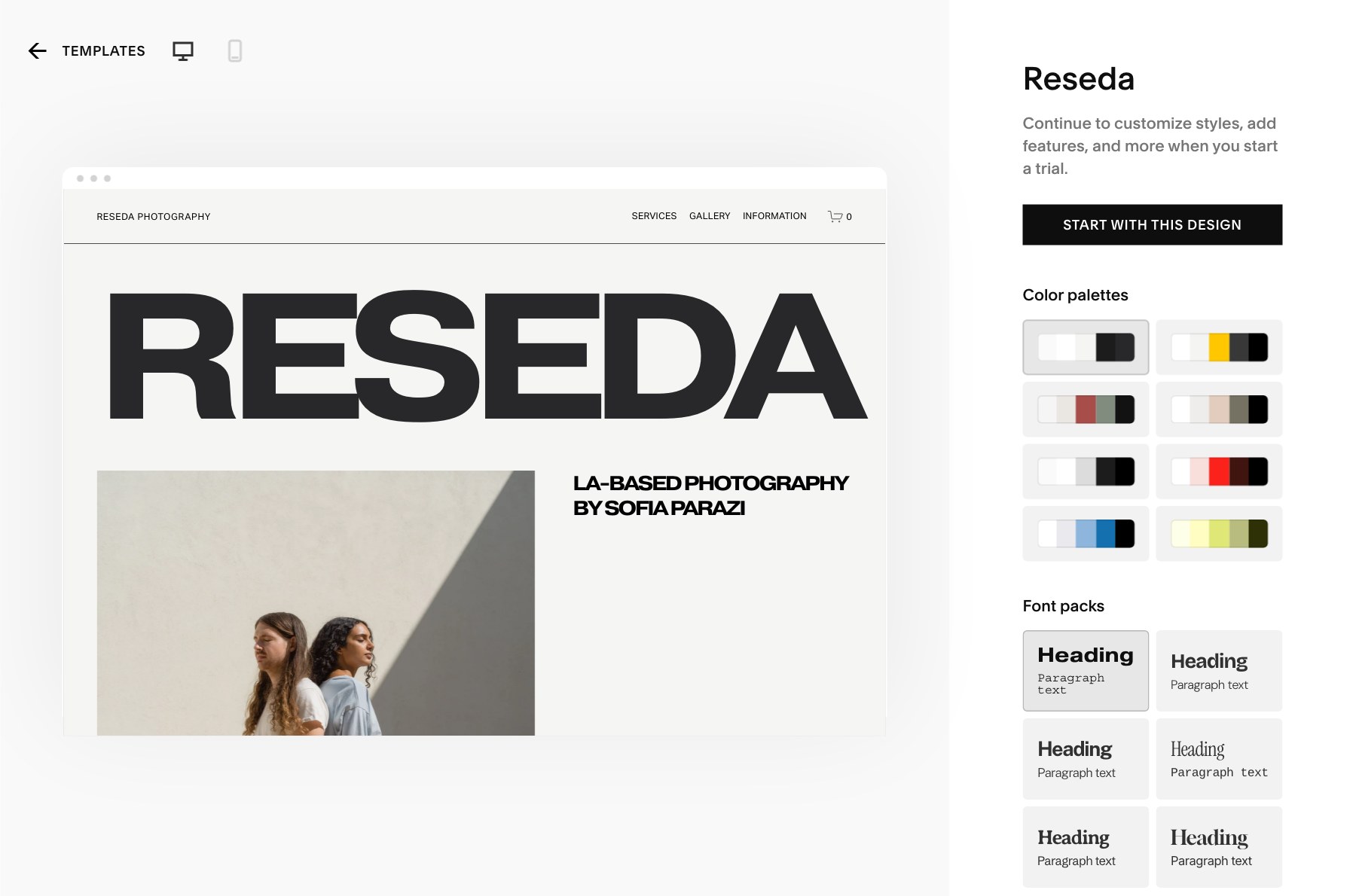
Squarespace’s current editor uses drag-and-drop sections built on a grid. It is genuinely good: you can move things without breaking the layout, and the result stays responsive on a phone without you thinking about it.
The trade-off is that the grid has opinions. Nudging something four pixels because your eye says it is wrong is often not possible. For most photographers that is a relief. For anyone with a designer’s eye it is the single most irritating thing about the platform.
Worth knowing: the editing experience is noticeably better on a large screen. Editing a Squarespace site on a laptop in a coffee shop is fine; editing it on a tablet is not.
Galleries and image handling
This is the part that matters most for photographers, and it is where Squarespace earns its reputation.
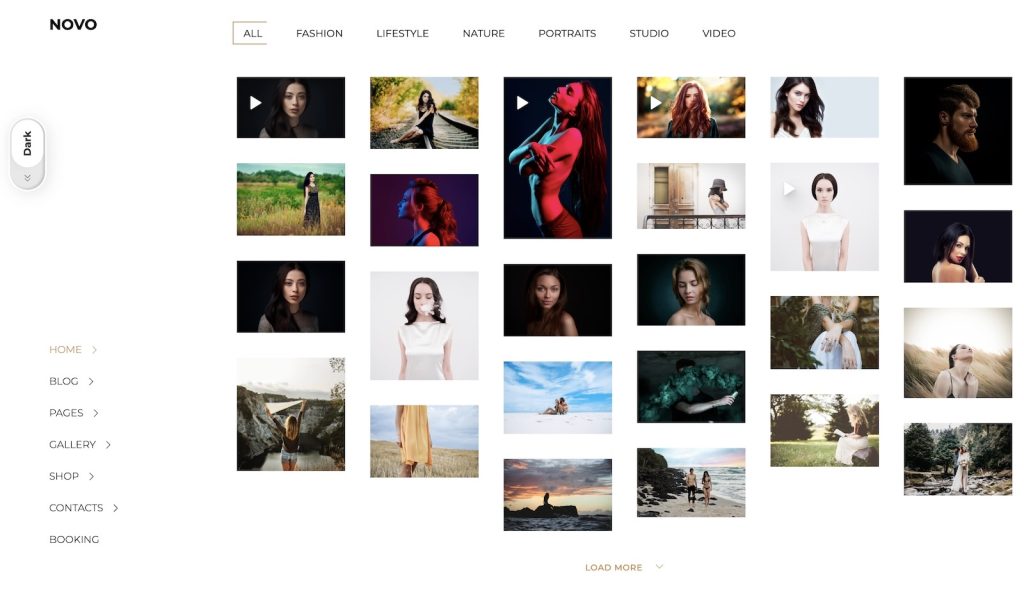
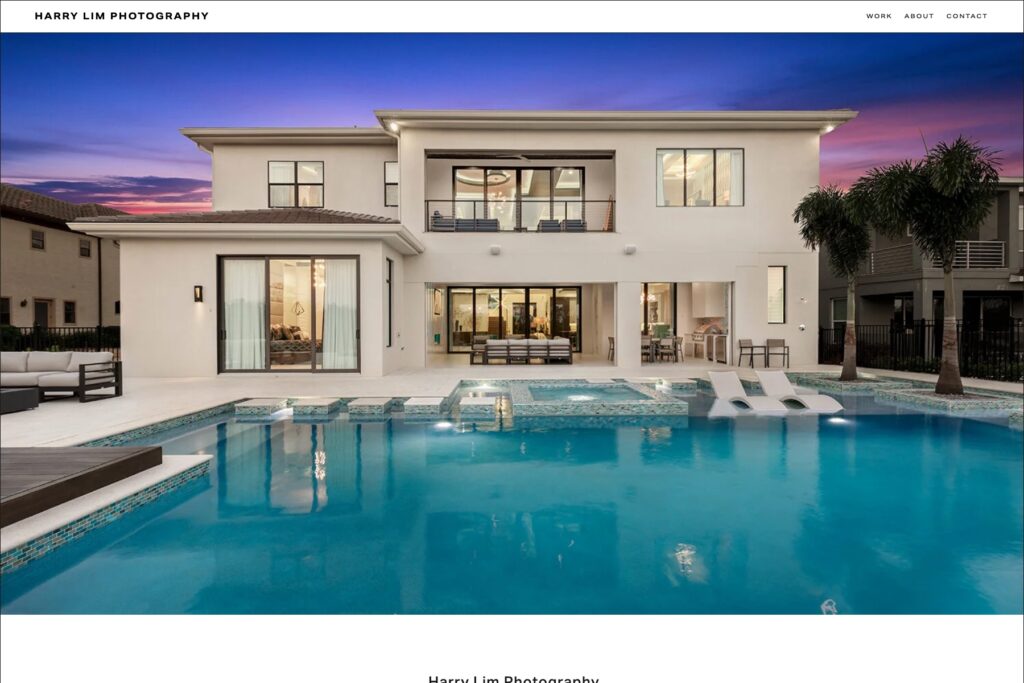
- Gallery layouts — grid, masonry, slideshow and full-bleed options that look considered rather than generic.
- Automatic responsive sizing. Upload once and Squarespace generates the smaller versions and serves the right one per device. This is the single biggest reason Squarespace photography sites tend to be faster than self-built ones.
- Password-protected pages, which photographers use as lightweight client proofing.
The caveat on that last point: a password-protected page is not a proofing system. There is no favouriting, no client selections, no download tracking, no print ordering tied to the gallery. If proofing is part of how you work, you will end up pairing Squarespace with Pixieset or Pic-Time — which is fine, but it is two subscriptions.
And automatic resizing does not rescue a 12 MB upload. Export sensibly first; there is more on that in our guide to speeding up a photography website.
Templates
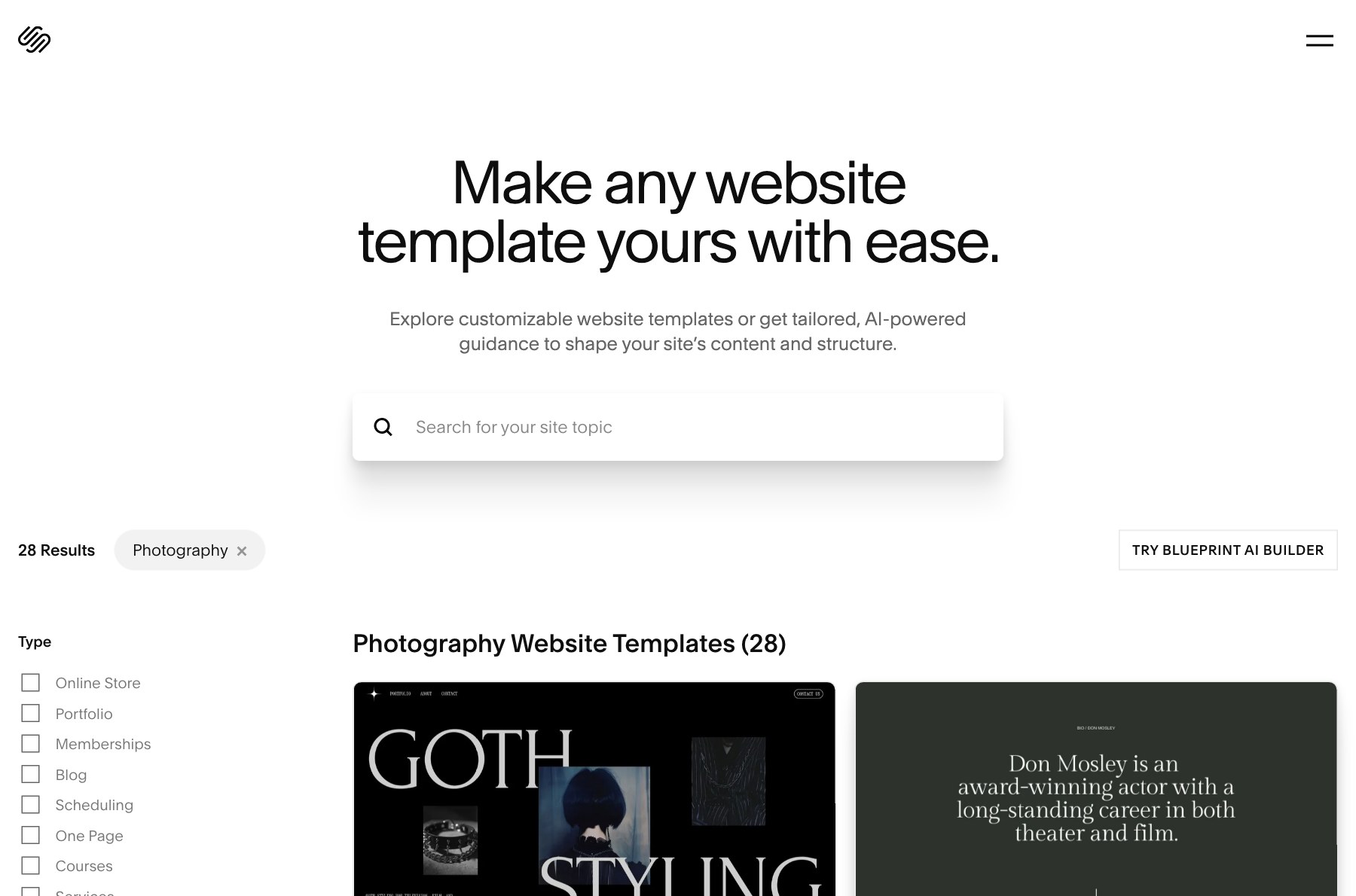
Squarespace’s photography templates are the best-looking defaults of any mainstream builder. That is genuinely valuable — a photographer with no design background gets a site that looks professional on day one.
The cost of that is recognisability. Squarespace templates are used by an enormous number of photographers, and other photographers — and some clients — can spot one. Whether that matters depends on your market. At the higher end of wedding and editorial work, looking like everyone else is a real commercial problem.
You can customise well beyond the starting point, particularly with custom CSS on the appropriate plans. But you are customising within Squarespace’s system, not escaping it.
SEO
Squarespace’s SEO is adequate and improving. The fundamentals are handled: clean URLs, editable titles and descriptions, automatic sitemap, SSL, mobile-responsive output, reasonable Core Web Vitals.
Where it constrains you is at the margins. Structured data beyond the built-in types is awkward. URL structures are partly fixed — blog posts sit under a path you do not fully control. Redirect management exists but is basic. None of this stops you ranking for your own name and your city. It starts to matter when you are competing for genuinely contested terms.
A realistic summary: Squarespace will not hold you back from ranking locally. It will occasionally be the reason you cannot do the specific thing an SEO tells you to do.
Selling prints and downloads
All paid Squarespace plans now allow selling, which removes a long-standing complaint. Physical prints, digital downloads and services can all be sold.
The gap is print fulfilment. Squarespace is not connected to a photo lab the way SmugMug or Zenfolio are, so selling a framed print means either fulfilling it yourself or bolting on a third-party service. If print revenue is central to your business, a platform built around a lab will serve you better.
Support
24/7 email support and live chat during business hours, with a genuinely good documentation library. Support is one of the clearer arguments for a hosted platform: when something breaks there is a company obliged to answer.
The limit is scope. They will help with Squarespace. They will not help with the custom CSS you pasted in, and that is usually the thing that broke.
Squarespace vs WordPress
| What you are judging | Squarespace | WordPress | Wix |
|---|---|---|---|
| Design ceiling | Template-bound | None | Free placement |
| Galleries | Excellent, auto-resizing | Depends on theme | Good |
| Client proofing | Password pages only | Full plugins exist | Basic |
| SEO control | Adequate, fixed URLs | Unlimited | Adequate |
| Maintenance | None | Ongoing | None |
| Print fulfilment | Not built in | Plugin or third party | Not built in |
| Free tier | No, 14-day trial | Self-hosted cost | Yes |
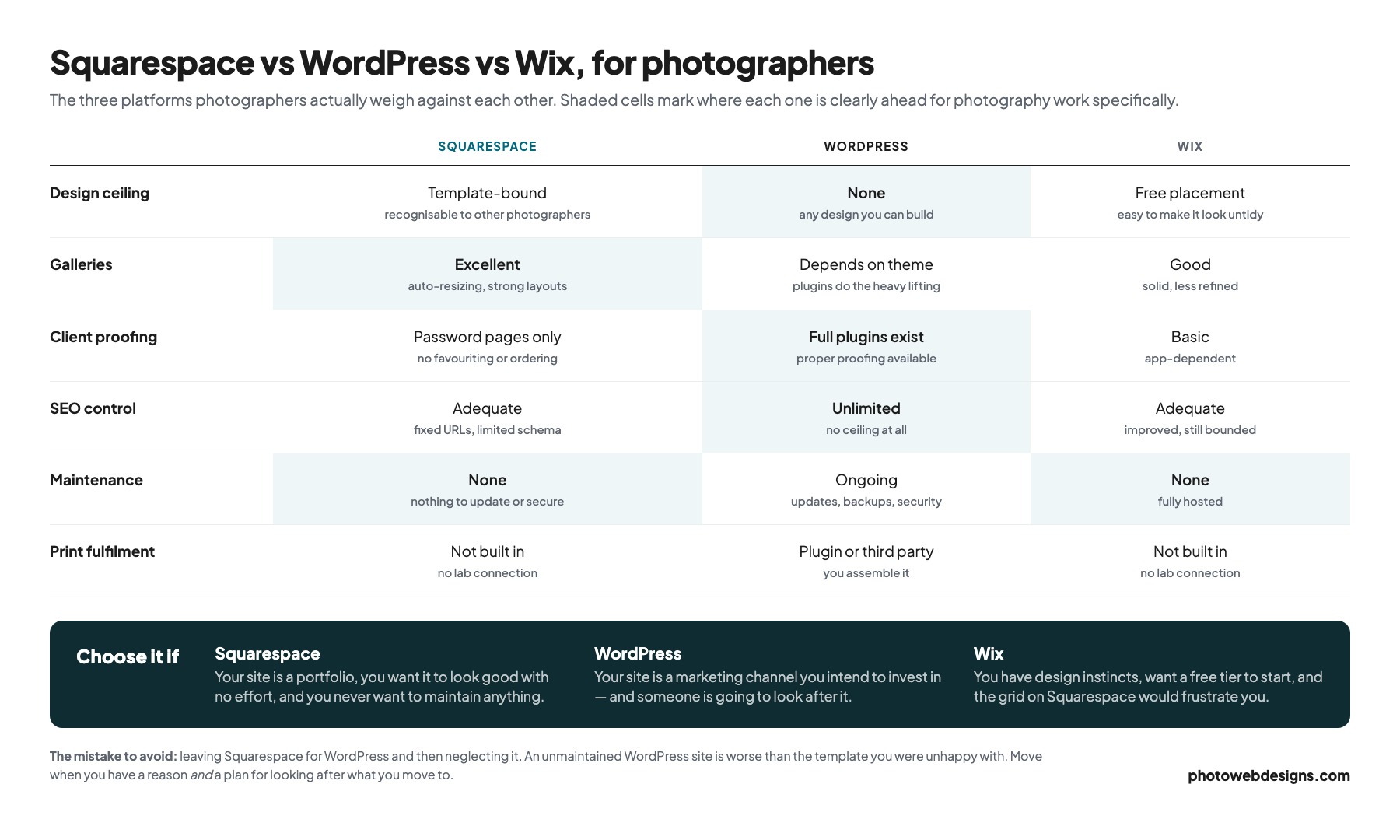
The real comparison, and the one most photographers are actually making.
Squarespace wins on time and certainty. Nothing to update, nothing to secure, nothing to configure. For a photographer running a business alone, that is worth real money.
WordPress wins on ceiling. Any design, any URL structure, any schema, any plugin, any host. Proper proofing plugins exist. If you want a site nobody else has and SEO with no ceiling, WordPress gets you there.
The honest trade is maintenance. WordPress needs updating, backing up and occasionally rescuing. Either you do that, or you pay someone, or it eventually breaks. Photographers who move to WordPress and then ignore it end up worse off than they were on Squarespace.
Rough rule: if the website is a portfolio, Squarespace. If the website is a marketing channel you intend to invest in, WordPress — provided someone is looking after it.
Squarespace vs Wix
Closer than people admit, and the choice is mostly about taste.
Wix gives you a free tier, more literal drag-and-drop freedom, and a bigger app marketplace. You can place an element anywhere, which some people love.
Squarespace gives you better design defaults and more restraint. Its templates look better untouched, and it is harder to make something ugly.
For photographers specifically, Squarespace usually wins on aesthetics and Wix on flexibility. If you have design instincts, Wix will frustrate you less. If you do not, Squarespace will protect you from yourself.
Pricing
Squarespace runs four tiers from an entry plan up to a premium tier for scaling businesses. Annual billing saves up to 36% and includes a year of domain registration. Every site starts with a 14-day free trial, and no card is required to start it.
Two things to factor in beyond the sticker price. Renewal is at full rate, so the first-year figure is not the ongoing one. And if you need proofing, budget a second subscription alongside it.
The third thing, which the pricing page does not put in front of you, is the transaction fee. Squarespace takes a cut of what you sell, and the cut depends on the tier — 2% of print and product sales on the entry plan, falling to zero above it. Digital downloads are charged separately and far more steeply: 7% on Basic, 5% on Core, 1% on Plus and 0% on Advanced. For a photographer, downloads are usually the easiest thing to sell, so that is the number worth doing arithmetic on.
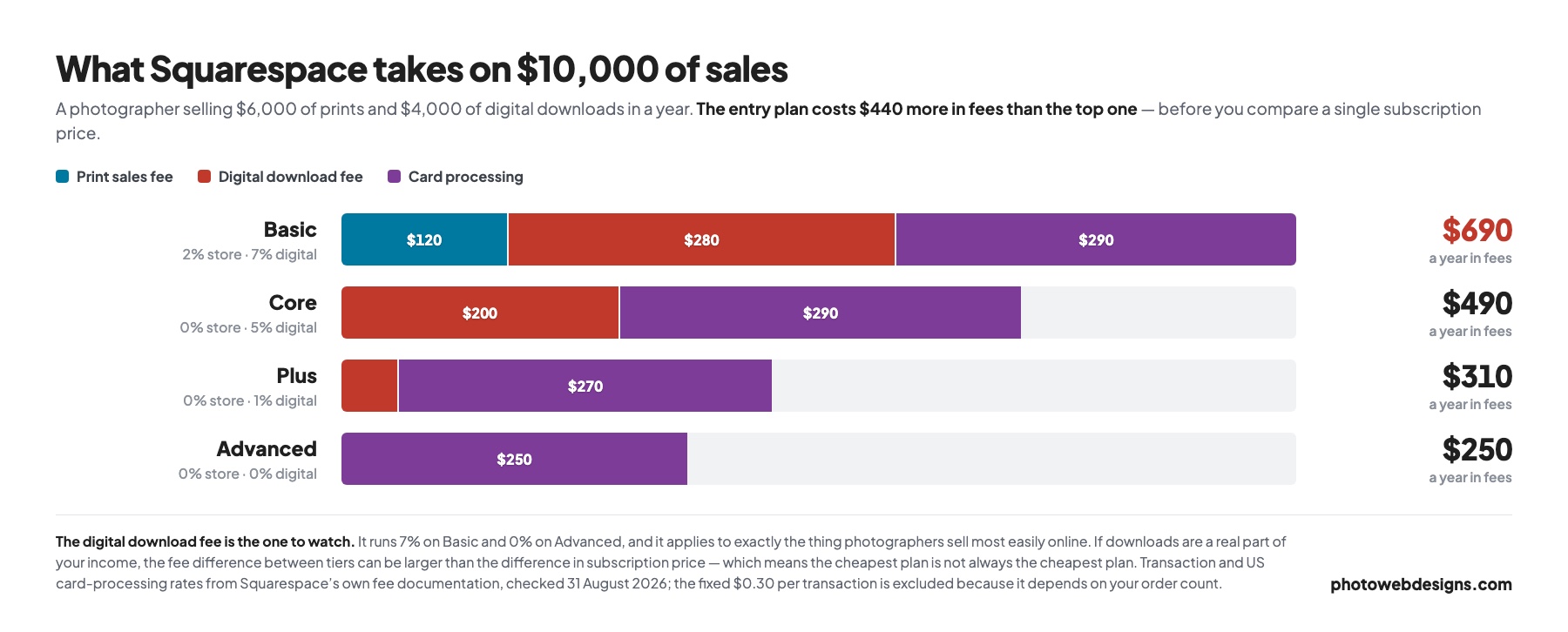
On ten thousand dollars of sales split between prints and downloads, the entry plan costs about $440 a year more in fees than the top one. That does not automatically mean you should buy the top one — it means the cheapest subscription is not reliably the cheapest plan, and the comparison only works if you put both numbers on the same page. Card processing sits on top of all of it at 2.9% falling to 2.5%, plus 30 cents an order.
Use the trial properly: build a real gallery with your actual files, not the demo content. Most of the limitations in this review only become obvious with real work in front of you.
Verdict
✓ Pros — what Squarespace does well
- The best-looking templates of any mainstream builder, with no design work required
- Automatic responsive image resizing — the single biggest reason Squarespace photography sites tend to be fast
- Genuinely good gallery layouts: grid, masonry, slideshow, full-bleed
- Nothing to update, secure or back up, ever
- All paid plans can now sell prints and digital downloads
- 24/7 support from a company obliged to answer
✗ Cons — where it frustrates photographers
- No real client proofing — password-protected pages only, with no favouriting or ordering
- No photo lab connection, so print fulfilment is on you
- The grid resists pixel-level control, which designers feel immediately
- Templates are widely used and recognisable to other photographers
- SEO has a ceiling: partly fixed URLs, awkward custom schema, basic redirects
- No free tier — a 14-day trial, then you pay
Our verdict: Squarespace
- Galleries & images 9/10
- Design quality 9/10
- Ease of use 9/10
- SEO control 6/10
- Client proofing 3/10
- Selling prints 6/10
- Value 7/10
The right answer for most photographers most of the time. It loses marks only where it was never trying to compete — proofing and lab fulfilment — and where the closed system caps you: advanced SEO and pixel-level design. Choose it while your site is a portfolio; reconsider when it becomes a marketing channel.
Squarespace is the right answer for most photographers most of the time. The galleries are strong, the templates look good without effort, image handling is genuinely well engineered, and nothing needs maintaining.
It becomes the wrong answer at a fairly specific point: when your website stops being a portfolio and starts being a marketing channel. When you are competing on search in a real market, when the design needs to be yours rather than a good template, or when proofing and print sales are central to the business — that is when the closed system starts costing more than it saves.
The mistake to avoid is leaving Squarespace for its own sake. Moving to WordPress and neglecting it is worse than staying. Move when you have a reason and a plan for looking after what you move to.
Common questions
Is Squarespace good for photographers?
Yes, for most. Its gallery layouts and automatic image resizing are among the best of any mainstream builder, and its templates look professional with no design work. It is weakest on client proofing and on advanced SEO control.
Can I do client proofing on Squarespace?
Not properly. You can password-protect a page to share images privately, but there is no favouriting, client selection or print ordering. Most photographers pair Squarespace with Pixieset or Pic-Time for delivery.
Is Squarespace or WordPress better for a photography website?
Squarespace if your site is a portfolio and you want zero maintenance. WordPress if your site is a marketing channel and you want no ceiling on design or SEO — provided someone maintains it.
Can I move off Squarespace later?
Yes. You can export content, and if the domain is yours you keep it. The part people skip is redirects — without them, the pages currently ranking in Google become 404s and that traffic goes away.
If you have decided the template ceiling is the problem, that is the gap we fill — see website design for photographers, with five designs you can open and use before deciding. If you are still weighing platforms, our comparison of photography website builders covers the wider field.
Weighing the other side of this comparison? See our Wix review for photographers.