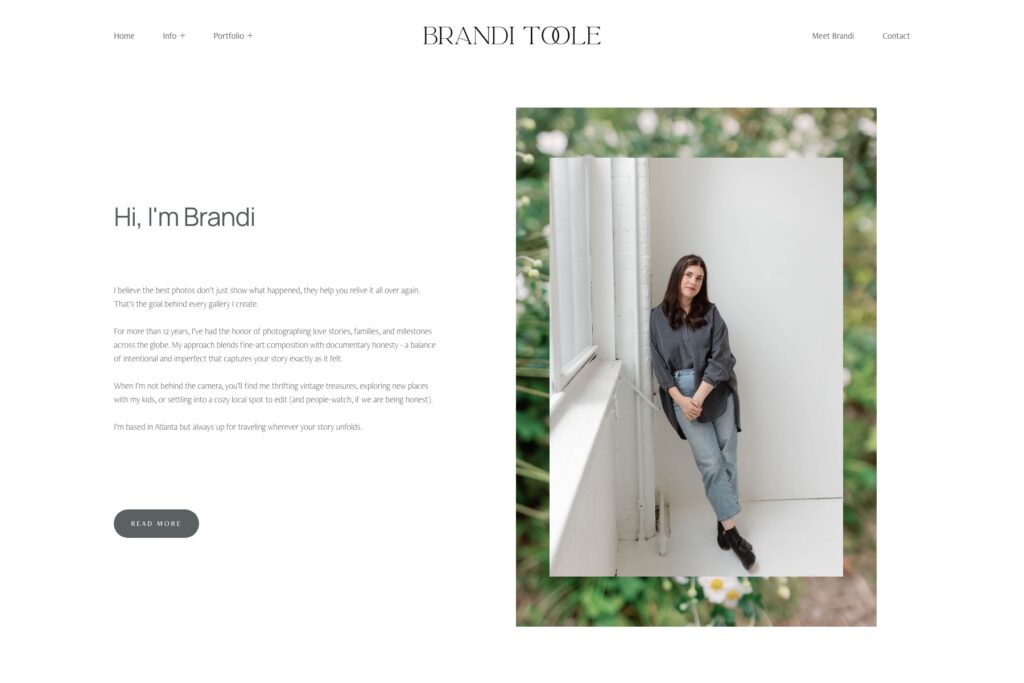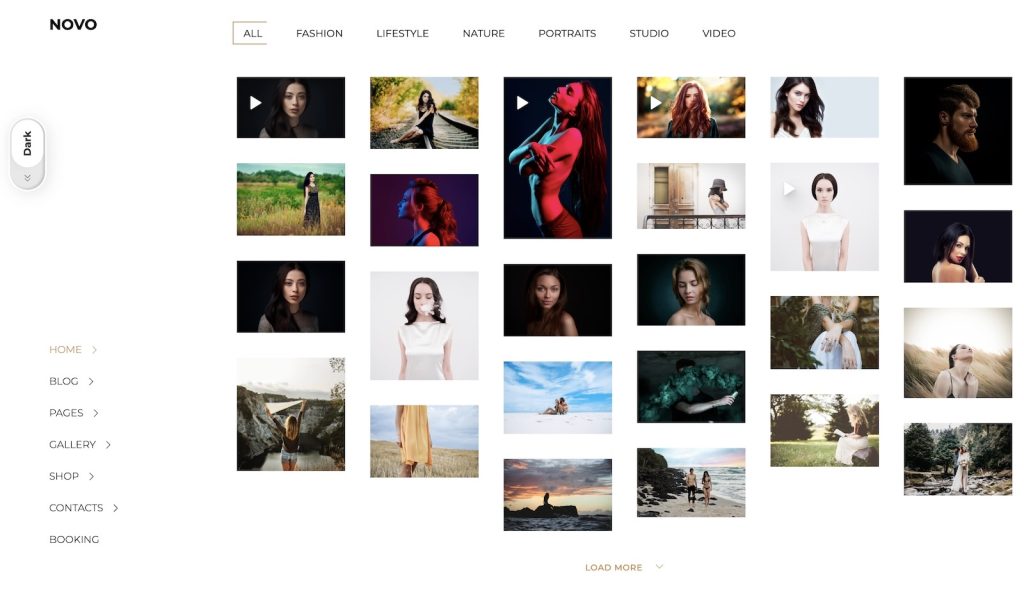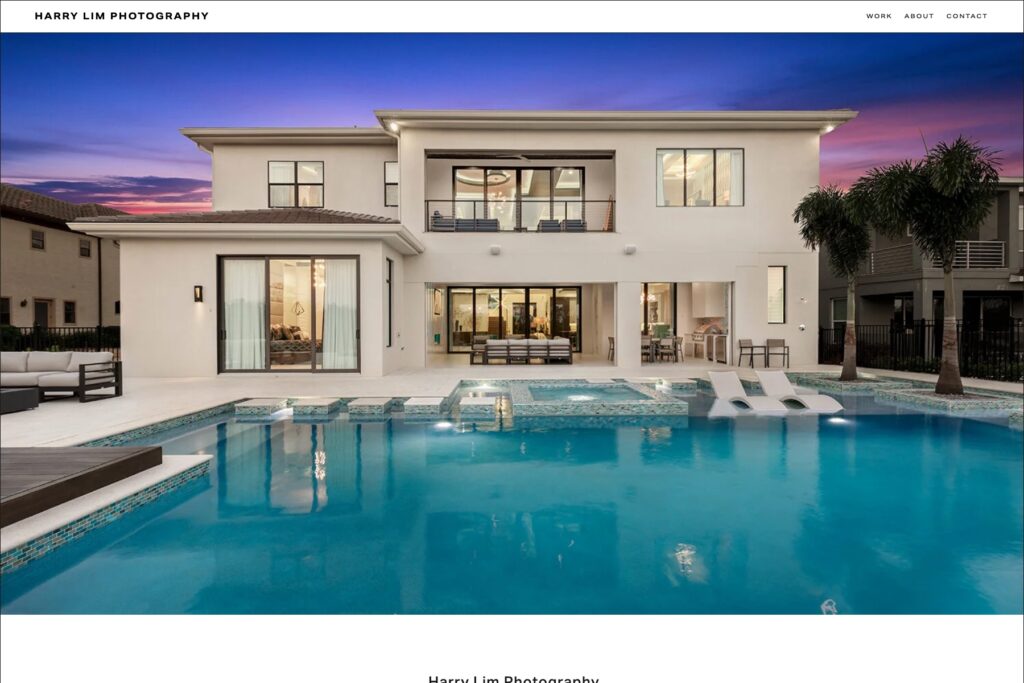


Looking for the best gallery website templates to showcase your work in the most stunning way possible?
If you’re a photographer, artist, or creative studio, your website is your portfolio, your brand, and your first impression.
But with so many templates out there, how do you choose the best one?
With over 15 years of experience in web design, development, and SEO, our team knows what it takes to create a standout gallery website.
Through extensive research, hands-on testing, and collaboration with industry professionals, we’ve uncovered the key elements that make a gallery site truly exceptional.
Clean layouts, high-resolution image support, lightning-fast loading speeds, and seamless mobile responsiveness are must-haves.
However, beyond aesthetics, your site needs intuitive navigation, an SEO-friendly structure, and a design that enhances your art rather than competes with it.
We’ve tested countless templates, studied leading design strategies, and stayed ahead of web trends to bring you the best options available.
The top templates blend beauty with functionality, so your images shine without slowing down performance.
Content:
- What To Look For In A Gallery Website Template
- Best Gallery Website Templates
- How To Choose The Right Gallery Website Template
What To Look For In A Gallery Website Template
1. Clean And Minimalist Design
A clutter-free design ensures that your images remain the focal point.
Look for templates with generous white space, simple typography, and a layout that enhances rather than overwhelms your visuals.
I know adding extra animations and effects sounds fun, but not in this case.
Keeping a gallery website design simple works best.
2. High-Resolution Image Support
Your work deserves to be seen in the best possible light.
That’s why it’s necessary to choose a template that:
- Supports high-res images without harming quality
- Offers full-screen image viewing options
- Provides customizable gallery layouts
Pro tip: Optimize your images for web use so they won’t slow down your load times.
Which brings us to:
3. Fast Loading Speeds
Slow websites lose visitors. And with the popularity of mobile browsing, speed matters even more.
Make sure your template is fine-tuned for speed with features like:
- Lazy loading for images
- Lightweight coding and optimized scripts
4. Mobile Responsiveness
With most users browsing on mobile devices, your gallery must look flawless on all screens.
A responsive template adjusts layouts dynamically, ensuring a seamless experience on desktops, tablets, and smartphones.
5. SEO And Social Media Integration
A great gallery website should be easy to find online.
Ensure the template includes built-in SEO tools and a clean code structure.
Additionally, having options to share your work on social media is a big plus.
Best Gallery Website Templates
1. Ortiz (Squarespace)

The Ortiz template delivers an outstanding scrolling experience with its seamless transitions and well-balanced use of white space.
It combines text and imagery in a way that feels natural, making it easy for visitors to engage with your work.
The strategically placed booking CTA in the header ensures potential clients can take action instantly, while the portfolio page, featuring a grid with randomized thumbnail sizes, adds a unique artistic touch.
Why we chose this photography website template?
We chose the Ortiz template because it flawlessly blends visual appeal with usability.
2. Reflect (Squarespace)
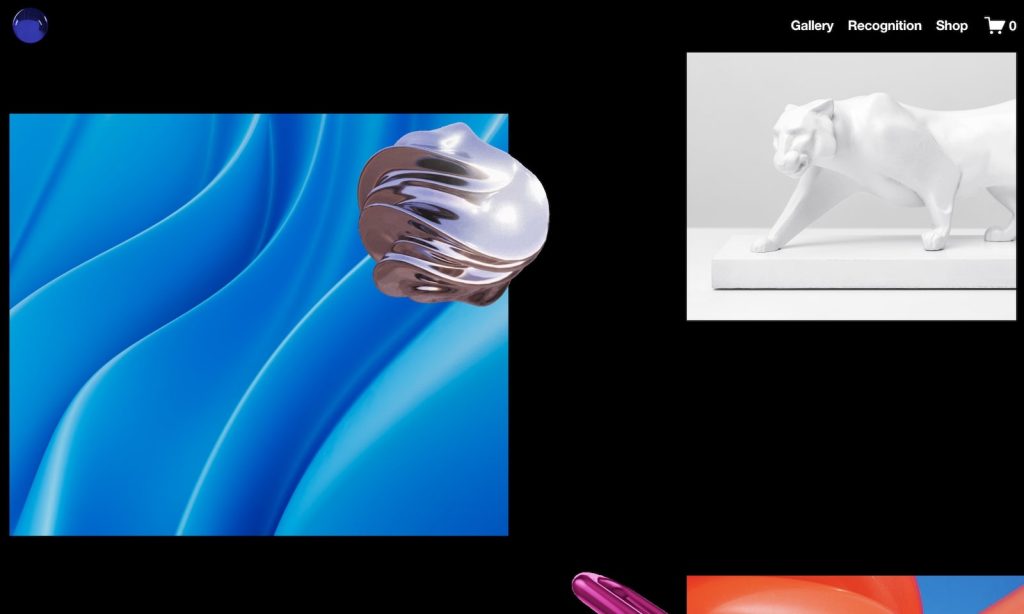
Dark, bold, and undeniably striking – the Reflect template commands attention.
The disappearing navigation bar creates a clean, distraction-free viewing experience, while smooth animations keep the site dynamic.
A floating logo at the bottom of the screen adds a contemporary edge, reinforcing brand identity.
Its gallery sliders and integrated online shop make it a perfect choice for creatives who also want to sell prints or digital products.
Why we chose this photography website template?
We chose the Reflect template for its dramatic impact, leaving a lasting impression.
3. McCurry (Squarespace)

Simplicity meets sophistication in the McCurry template, which masterfully separates content with subtle yet effective design elements.
A fine line elegantly distinguishes the header from the main content, guiding visitors through the site.
The portfolio page features a refined two-column layout with large thumbnails highlighting every detail of your work.
Finally, a spacious footer with quick links and a subscription form ensures visitors stay connected.
Why we chose this photography website template?
We chose the McCurry template for its elegant balance of structure and style, offering a polished presentation.
4. Bergen (Squarespace)
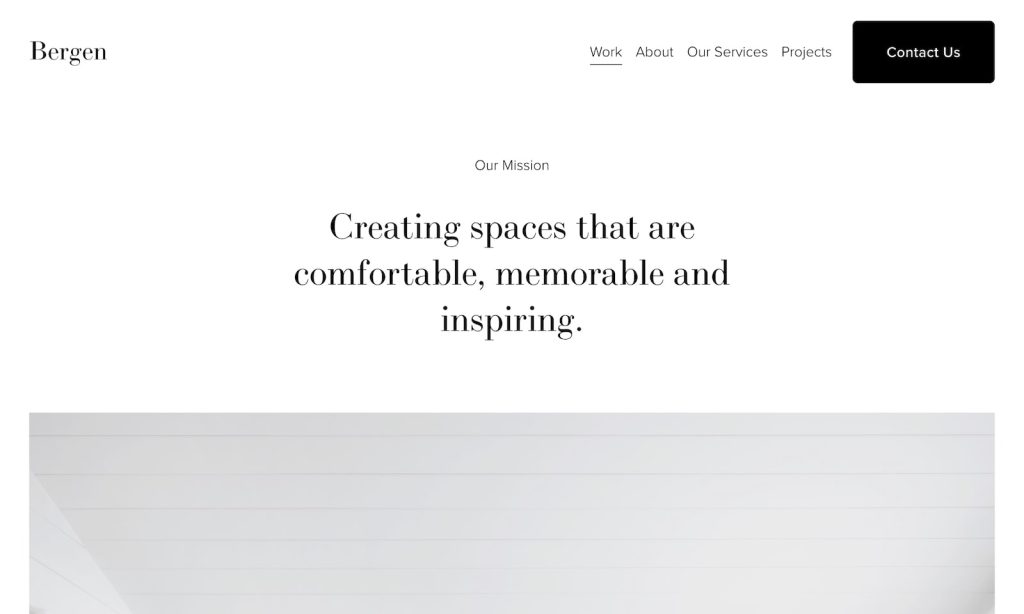
A light, airy, and minimal design makes the Bergen template a dream for photographers who prefer simplicity.
The single-column homepage layout emphasizes large, high-quality images, creating an immersive experience.
A floating header with menu links guarantees smooth and intuitive navigation, while a contrasting black contact button makes it easy for visitors to reach out.
Clean, well-structured project pages complete the package, keeping the emphasis on your visuals.
Why we chose this photography website template?
We chose the Bergen template for its understated elegance, letting your photography take center stage.
5. Gates (Squarespace)
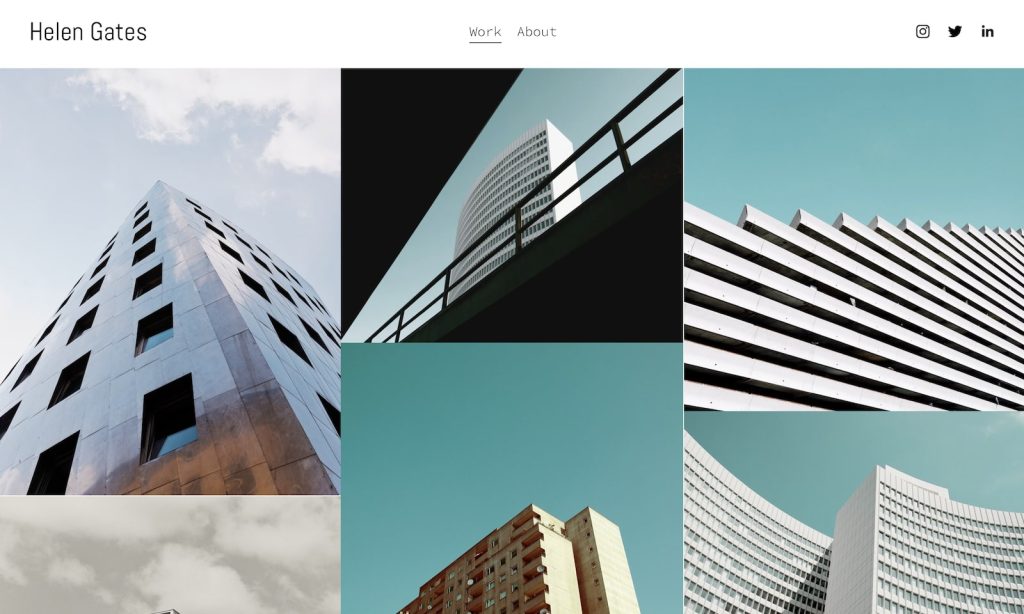
For those who love a clean, structured look, the Gates template delivers.
The homepage features a tightly packed gallery grid, allowing visitors to instantly absorb a broad selection of your work.
The practical disappearing/reappearing header enhances navigation without cluttering the screen.
A built-in lightbox feature ensures that images can be viewed in detail, while an About page with a contact form makes it easy for potential clients to connect.
Why we chose this photography website template?
We chose the Gates template because it maximizes visual impact with a streamlined, pro-level layout.
6. Matsuya (Squarespace)

The Matsuya template is the epitome of refined efficiency.
Its four-column grid layout is structured yet spacious, allowing your work to shine without feeling cluttered.
The uniform background color across the header, base, and footer creates a harmonious design, while the Instagram icon in the navigation bar offers effortless social media integration.
A straightforward contact page with a background image and clickable email ensures seamless communication with clients.
Why we chose this photography website template?
We chose the Matsuya template for its balanced structure and effortless social media integration, perfect for modern creatives.
7. Minetta (Squarespace)
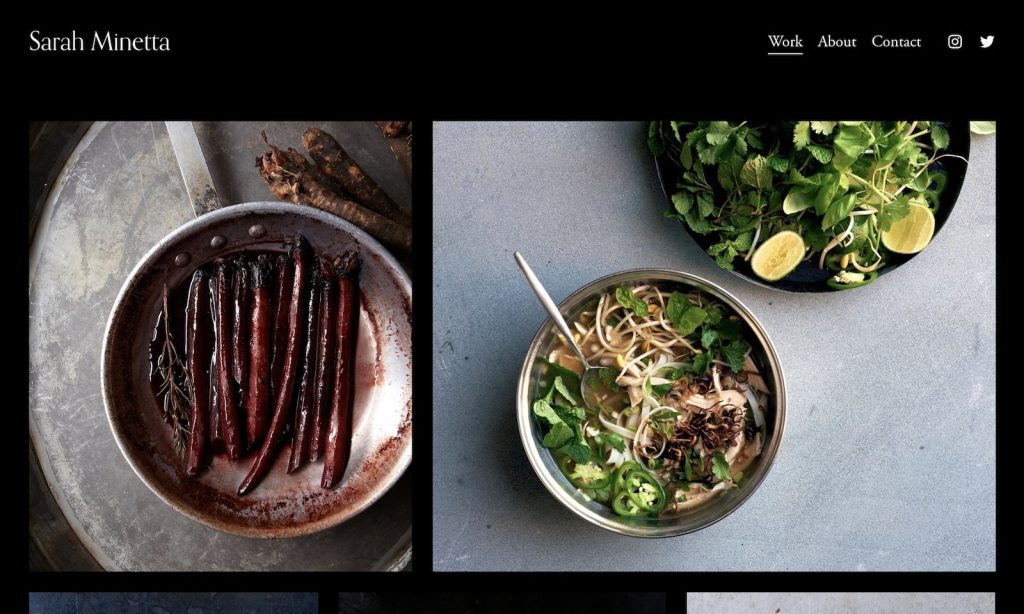
Dark and moody, the Minetta template is an excellent choice for photographers who love a bold aesthetic.
Designed with food photographers in mind but adaptable for various niches, it features a striking black background throughout, ensuring your images pop.
The lightbox gallery enhances the viewing experience, while its mobile optimization guarantees a stunning presentation on any device.
Every detail is crafted to create a high-end browsing experience.
Why we chose this photography website template?
We chose the Minetta template for its dramatic and luxurious feel.
8. Balboa (Squarespace)
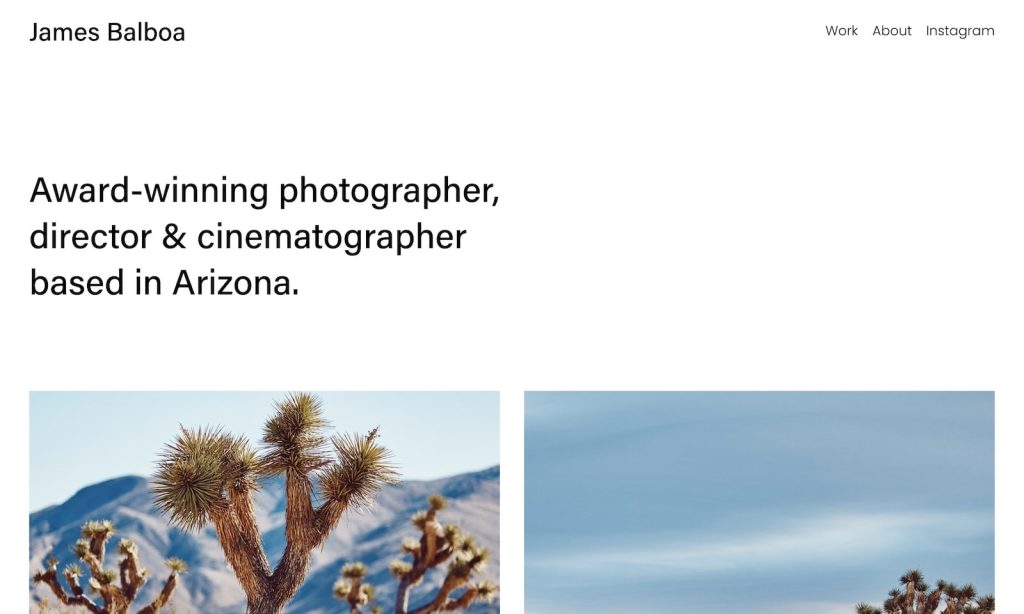
The Balboa template radiates modern elegance with a clean structure.
It begins with a captivating photographer introduction, leading into a visually appealing grid layout.
A thoughtfully designed boxed format keeps content organized, while a dropdown navigation menu ensures smooth usability.
With Instagram integration and project pages featuring a lightbox gallery, this template mixes personal branding with professional presentation.
Why we chose this photography website template?
We chose the Balboa template for its personal storytelling and professional display, perfect for photographers looking to showcase their journey.
9. Zion (Squarespace)

A true showstopper, the Zion template greets visitors with a full-screen image background on the homepage, offering a captivating first impression.
Interactive category links dynamically change the background image upon hover, adding an interesting touch.
Its three-column grid for work pages clearly presents portfolios, while dedicated about and contact pages provide essential details.
Notably, it forgoes a footer, keeping the focus entirely on imagery.
Why we chose this photography website template?
We chose the Zion template for its immersive, fullscreen visuals and innovative navigation through categories.
10. Reseda (Squarespace)

The Reseda template exudes confidence and sophistication, optimally merging striking design elements with functionality.
A title below the header offers a strong identity, while a randomized image grid injects personality into the layout.
The floating header ensures quick navigation and a built-in lightbox feature elevates image viewing.
Moreover, a contrasting dark footer neatly houses menus, social links, and a newsletter subscription.
Why we chose this photography website template?
We chose the Reseda template for its bold design and intuitive service, making engagement and branding effortless.
11. Wedding Photography (Wix)
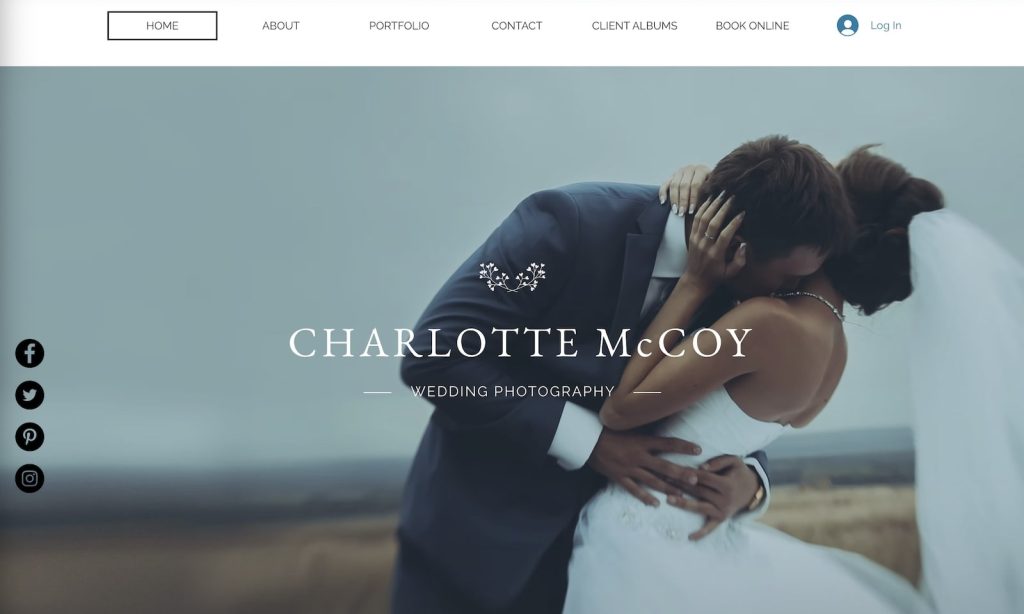
The Wedding Photography template is designed to capture romance and elegance.
With stunning parallax scrolling, visitors experience a smooth and immersive journey through your portfolio.
A smooth grid layout maintains a continuous visual flow, while floating social media buttons link directly to photographer accounts for easy access.
The integrated booking system, complete with a date and time picker, makes client inquiries a breeze.
Why we chose this photography website template?
We chose the Wedding Photography template for its elegant layout and smooth booking, ideal for capturing life’s special moments.
12. Food Photographer (Wix)

A visually rich, framed layout makes the Food Photographer template ideal for culinary creatives. (But not limited to.)
The uniform background color across the header, base, and footer creates design consistency, while the portfolio gallery with a lightbox feature boosts image display.
It also includes a section for selling prints, books or digital products.
What’s more, a blog section and a simple, effective contact form round out its versatile features.
Why we chose this photography website template?
We chose the Food Photographer template because it brings content to life with an appetizing atmosphere.
13. Travel Photography (Wix)

The Travel Photography template, designed with a calming color scheme and a transparent header, delivers an inviting user encounter.
A sleek gallery lightbox slider allows for terrific image display, while a video gallery with category selection enhances narrative.
The template is an excellent choice for travel photographers looking to inspire adventure.
Why we chose this photography website template?
We chose the Travel Photography template for its ability to evoke wanderlust through stunningly arranged images.
14. Landscape Photographer (Wix)

With a fullscreen image slider above the fold, the Landscape Photographer template is built to showcase breathtaking scenery.
A transparent, sticky header keeps navigation simple, while subtle white space ensures an elegant and balanced composition.
Social sharing buttons and a unique “heart” feature allow visitors to easily engage with individual images.
Surprisingly, the footer is simple, keeping things clean.
Why we chose this photography website template?
We chose the Landscape Photographer template because it lets images shine with an expansive layout.
15. Family Photographer (Wix)
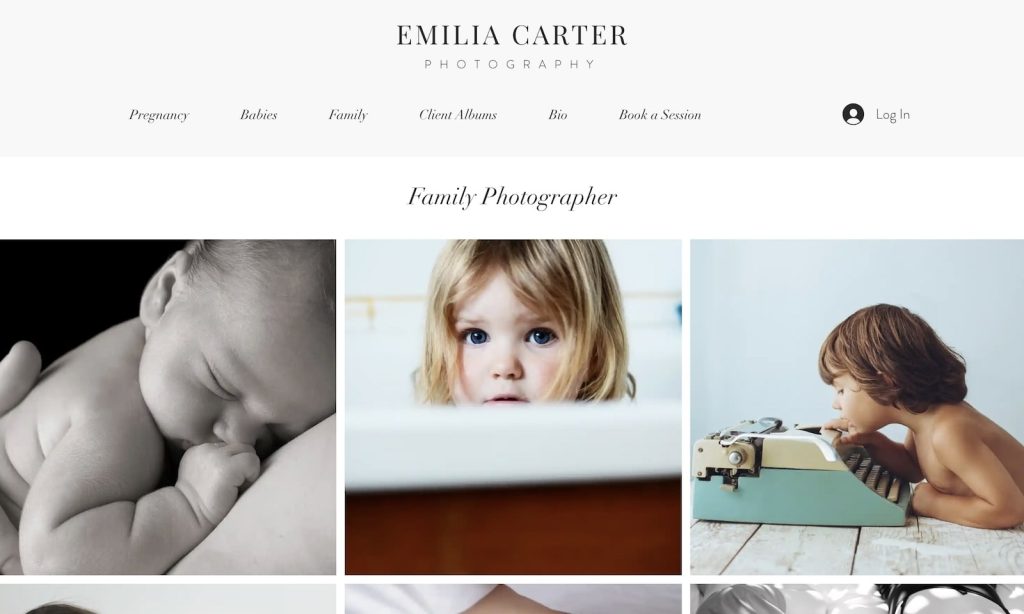
Designed for warmth and connection, the Family Photographer template features a unique floating transparent footer that adds a modern touch.
The home page’s three-column image grid instantly captures attention, while the bio page provides a space for personal storytelling.
A direct online booking system with pricing transparency makes scheduling sessions effortless for clients.
Why we chose this photography website template?
We chose the Family Photographer template because of its inviting and heartfelt design.
16. Photography Studio (Wix)

The Photography Studio template offers a professional and high-end presentation with its bold, dark design.
A streamlined drop-down menu and login button in the header provide smooth navigation.
Easy booking access ensures clients can reserve a session with minimal hassle, while the portfolio lightbox feature enhances image viewing.
Lastly, a basic footer with social media links keeps further interaction simple.
Why we chose this photography website template?
We chose the Photography Studio template for its sleek style, ideal for high-end photography businesses.
17. Fashion Photography (Wix)
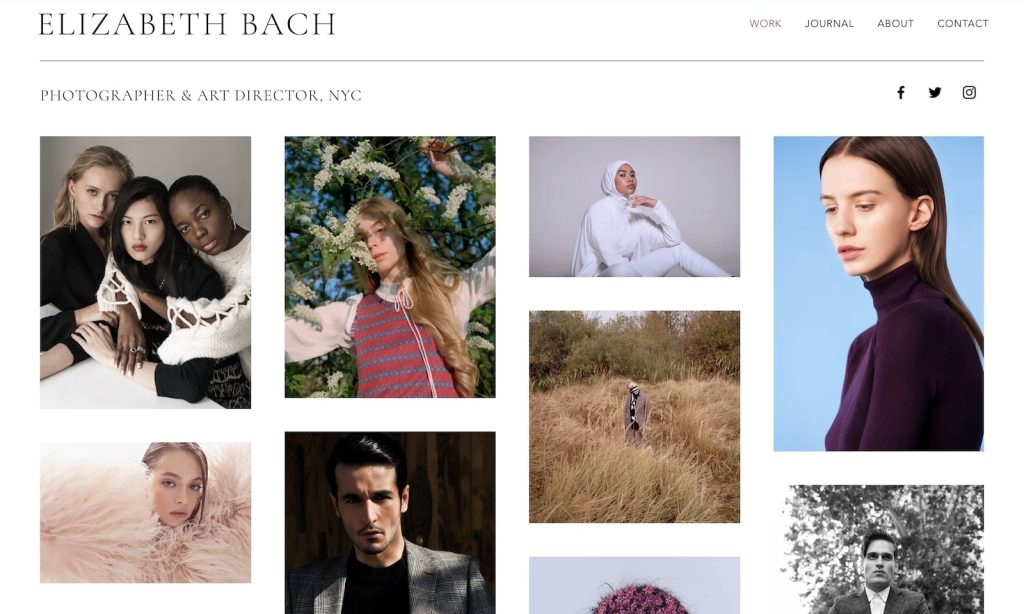
The Fashion Photography template embraces a clean aesthetic with its minimalist yet striking approach.
Thin lines separate the header and footer from the main content while maintaining a cohesive background color.
The online journal section offers a space for expression, while the lightbox gallery allows for trendy image presentations.
The template also includes the option to add titles and descriptions to images.
Why we chose this photography website template?
We chose the Fashion Photography template for its neat and editorial-style layout, perfect for fashion-forward creatives.
18. Wildlife Photographer (Wix)
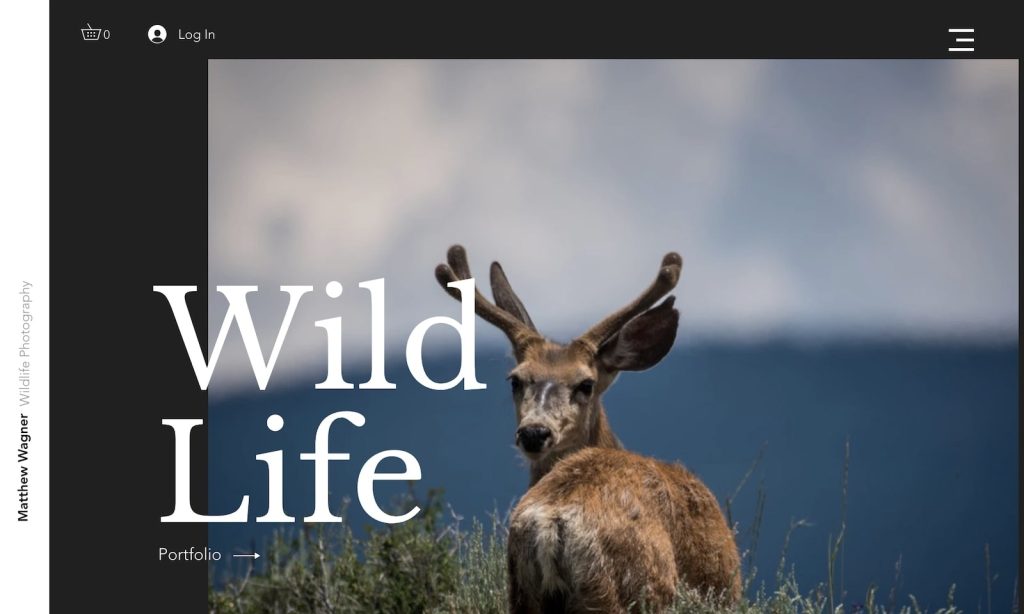
The Wildlife Photographer template brings nature to life with a captivating full-screen layout.
A floating header and sidebar create a dynamic experience, while a large image slider immerses visitors in breathtaking shots.
A convenient popup gallery showcases images without requiring users to leave the page, ensuring better user journey.
Why we chose this photography website template?
We chose the Wildlife Photographer template for its intriguing and versatile design.
19. Rose Marble (Webflow)
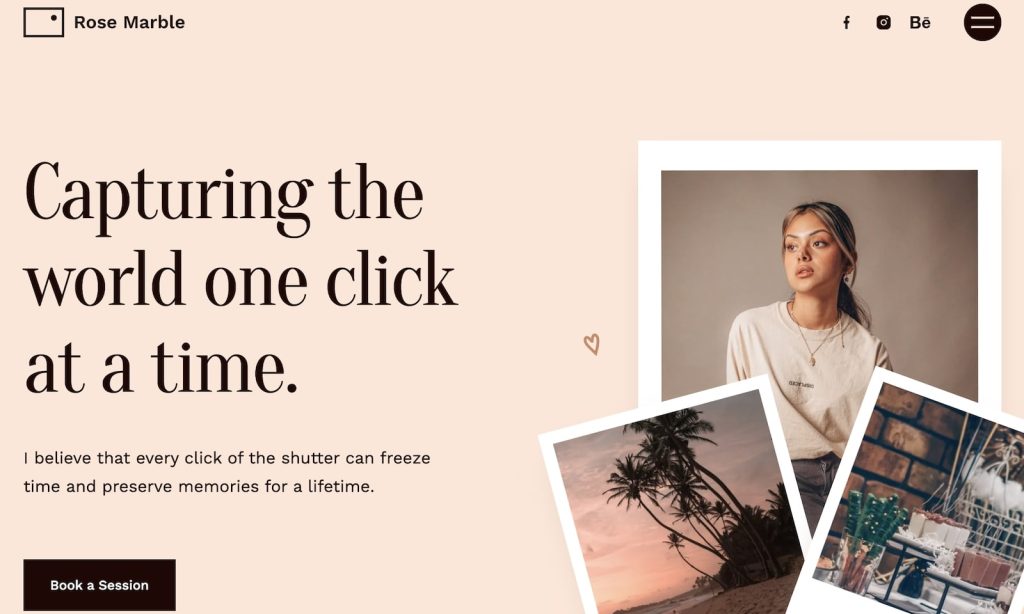
The Rose Marble template combines elegance and interactivity.
Subtle animations enhance the browsing experience, while a testimonial slider adds credibility.
A full-screen menu overlay allows easy navigation, complete with clickable contact details for immediate inquiries.
The sliding image animation brings a refined, polished feel to portfolio pages.
Why we chose this photography website template?
We chose the Rose Marble template for its adaptable design, ideal for creatives who want a sophisticated yet dynamic portfolio.
20. Darkness (Webflow)
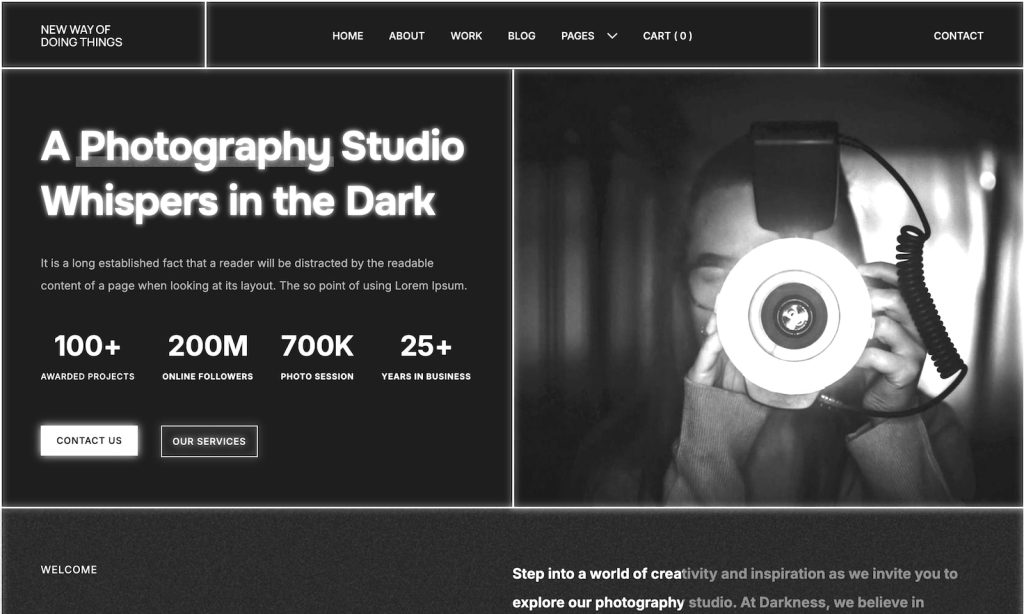
The Darkness template is something else. Something for the darring one.
Hence the name, it features a dark-themed aesthetic with thin line “separators” for readability.
Content loads dynamically as users scroll, keeping engagement high.
Furthermore, a well-designed services page allows for clear presentation, while a disappearing/reappearing header maintains clutter-free browsing.
Last but not least, the lightbox gallery with bottom thumbnails creates pleasant viewing.
Why we chose this photography website template?
We chose the Darkness template for its ultra-modern appeal, perfect for artists who want a high-contrast design.
21. PhotographZ NX (Webflow)
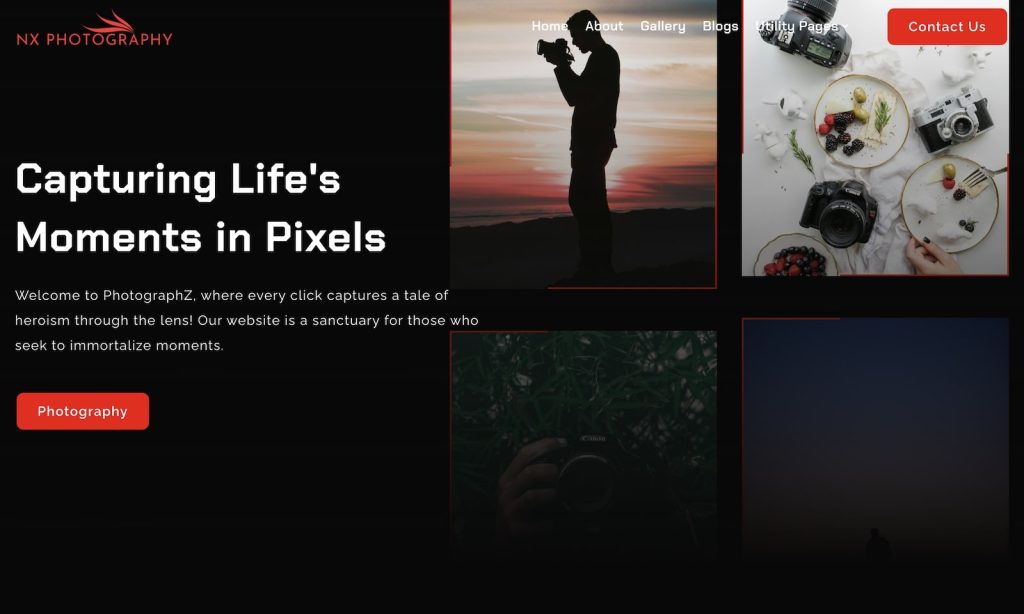
Designed for photographers and studios, the PhotographZ NX template stands out with a magnificent dark design accompanied by red details.
Smart animations improve user experience without being overwhelming.
It features structured pricing packages, a testimonials section, and insightful gallery pages that incorporate storytelling.
Every element is curated for an impactful presentation.
Why we chose this photography website template?
We chose the PhotographZ NX template for its astonishing visuals and cutting-edge functionality.
Live demos
Templates are easier to judge when you can use them. These five are ours, and every one of them is a live site you can open, scroll and resize.
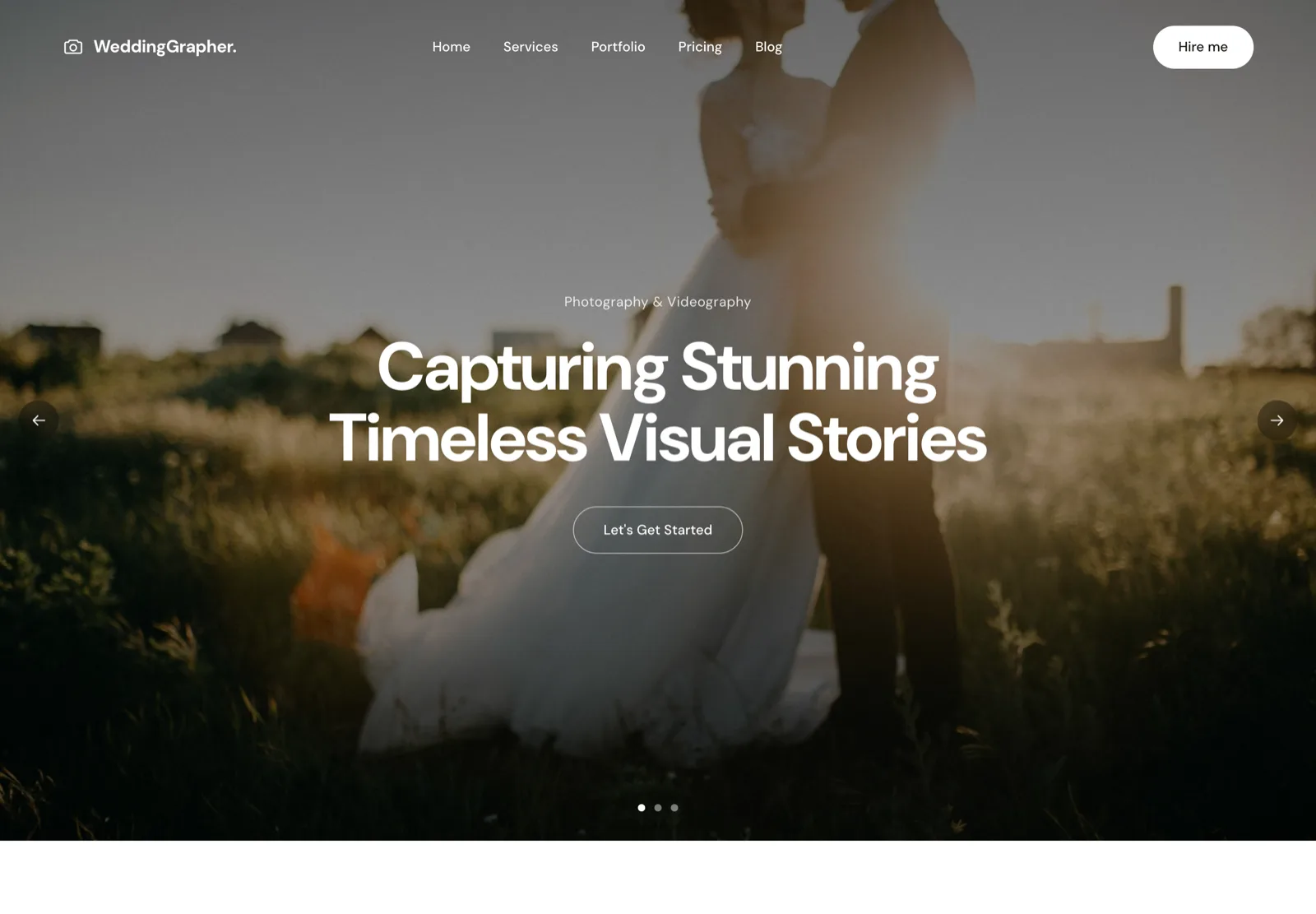 WeddingWeddingGrapher.Hero slideshow, packages, enquiry form.Open live demo →
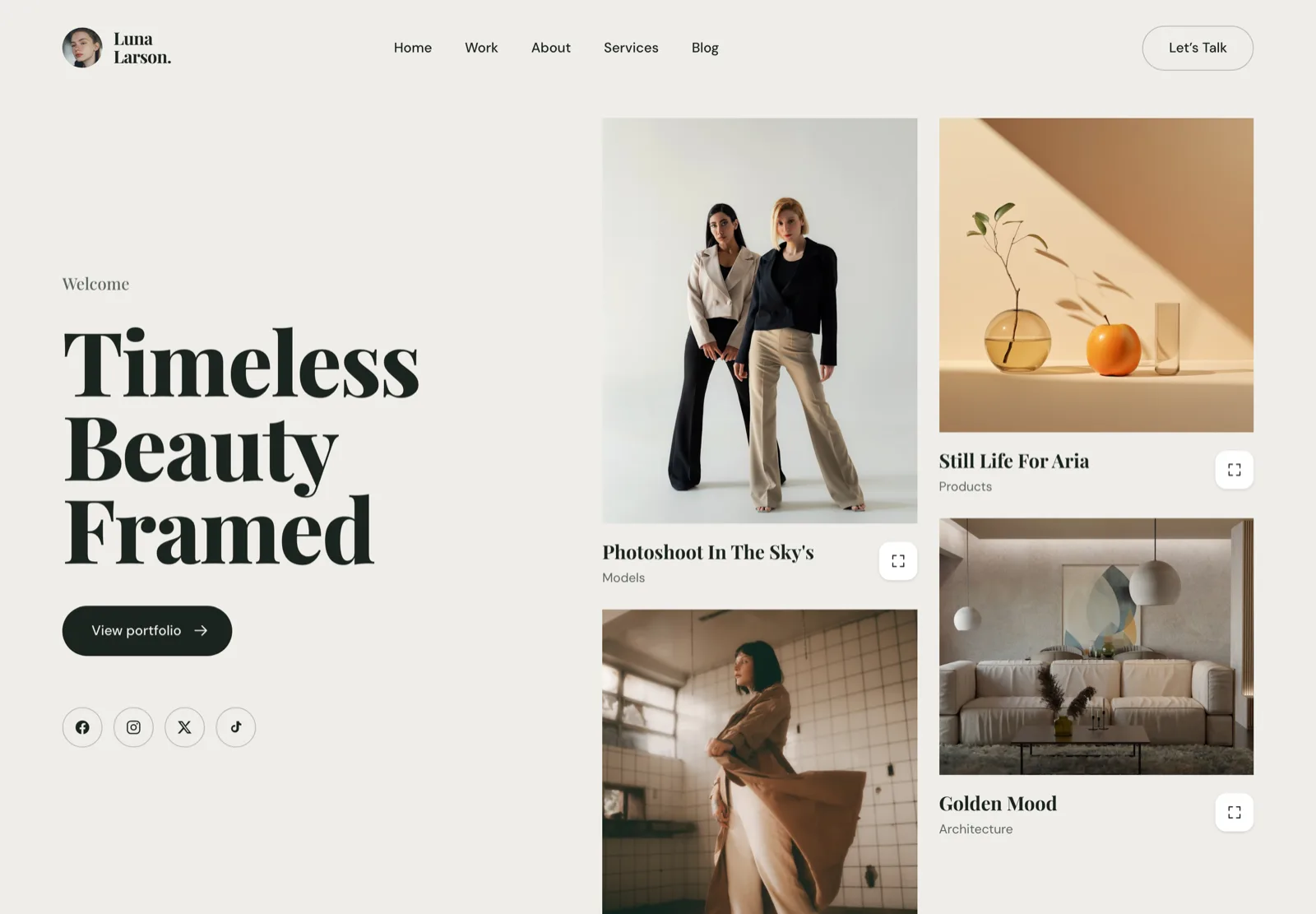 Fashion & editorialLuna Larson.Editorial type and a portfolio-first grid.Open live demo →
 Studio & agencyPhotoAgency.Bento layout, client logos, service tiers.Open live demo →
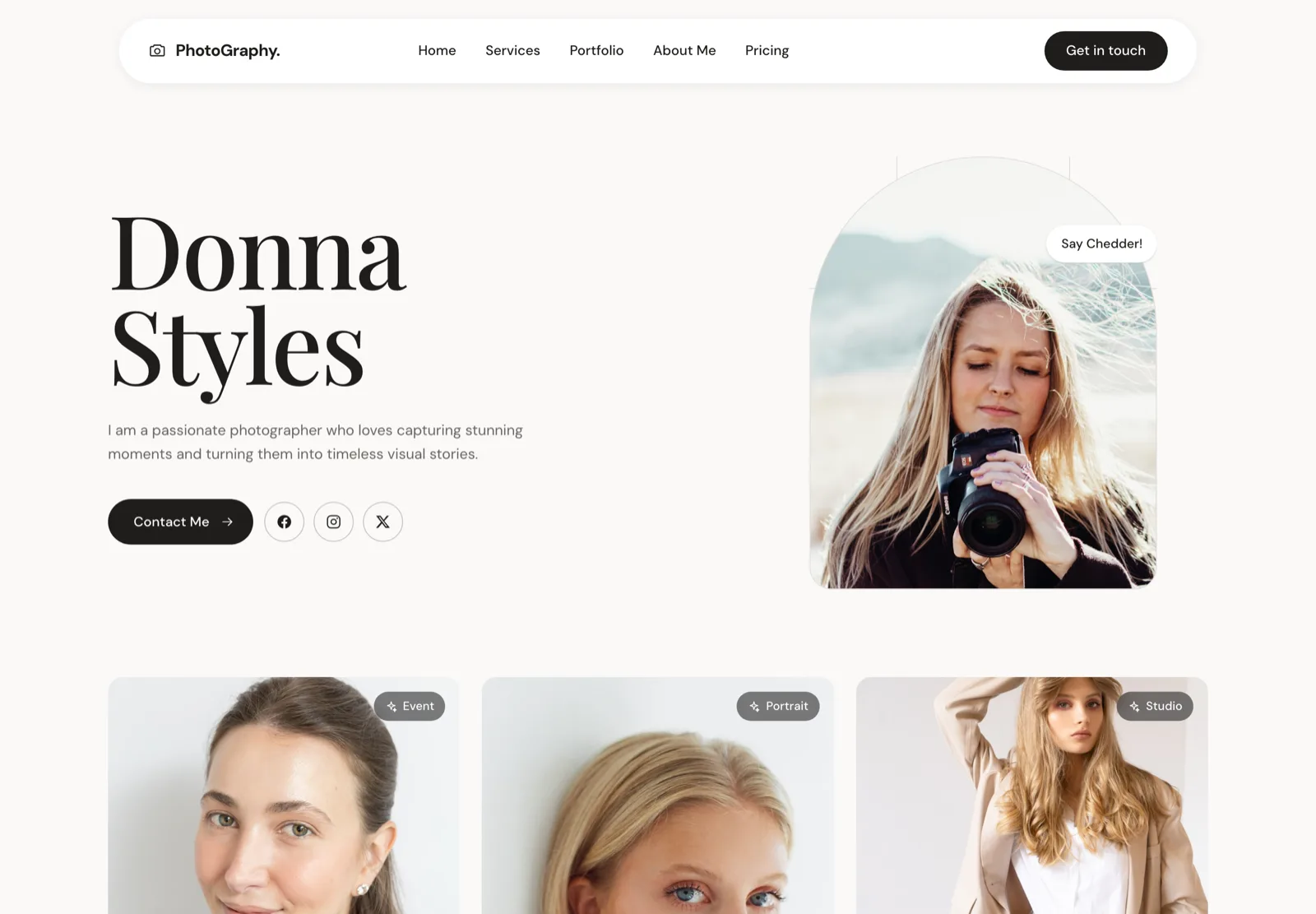 Portrait & eventDonna StylesPortrait-led, personal, direct contact.Open live demo →
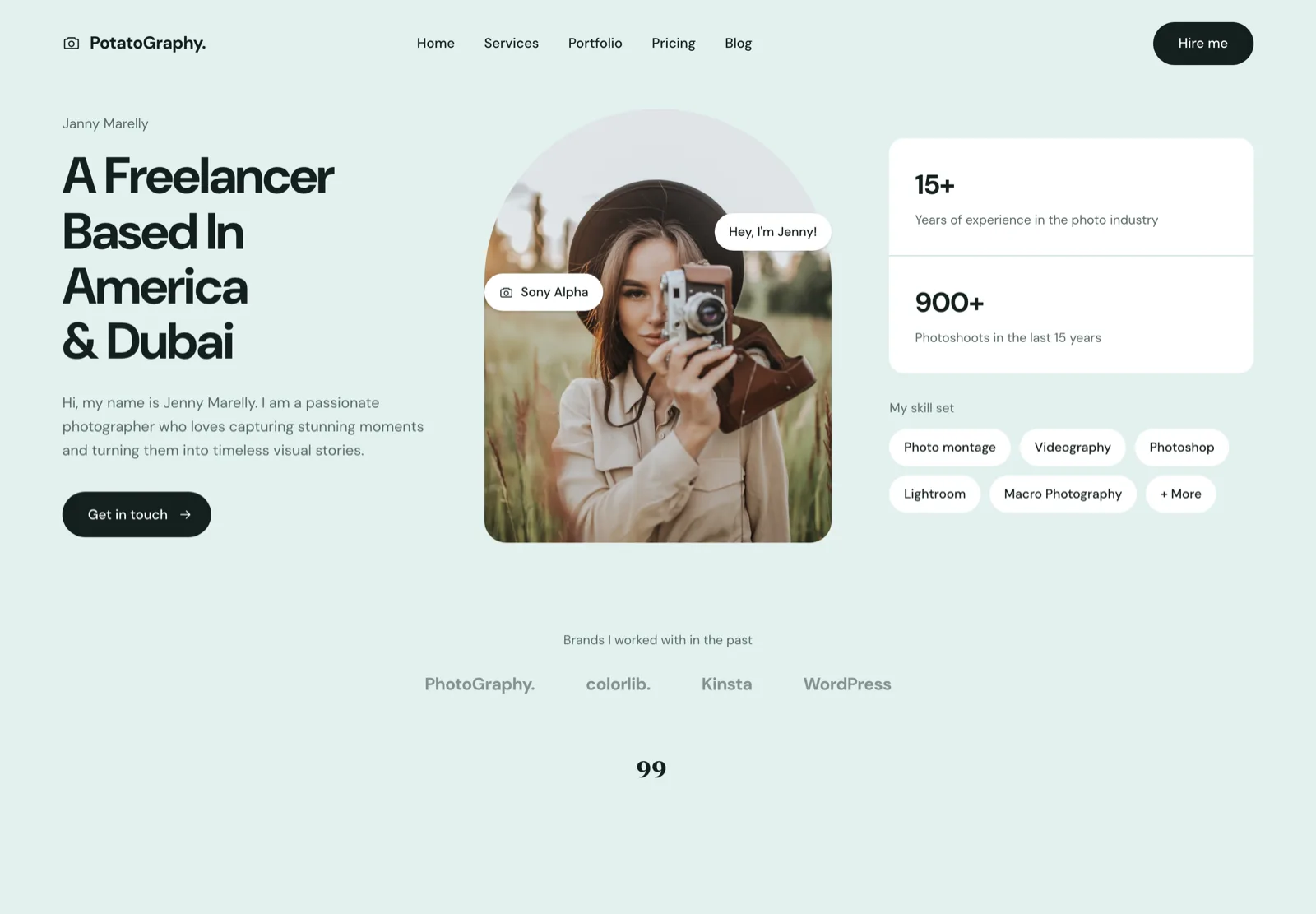 Solo freelancerPotatoGraphy.One scroll, one story, one call to action.Open live demo →
Each is available personalised to your own galleries — see website design for photographers, or browse all five demos.
How To Choose The Right Gallery Website Template
1. Identify Your Needs
Before selecting a template, consider what you need from your website.
Ask yourself:
- Are you showcasing a portfolio or selling prints?
- Do you need client proofing or booking features?
- Will you be blogging or integrating social media feeds?
The ultimate gallery templates can do all the above and more.
2. Prioritize User Experience
A great gallery website is one that visitors can navigate easily.
Look for templates that offer:
- Intuitive menus and simple navigation
- Clean layouts that don’t overwhelm viewers
- A focus on your images, not unnecessary distractions
Simplicity wins. Always.
3. Customization Options
Your website should reflect your unique style. Check if the gallery template allows for:
- Color and font customization
- Flexible gallery layouts
- Branding integration (logos, watermarks, etc.)
The more options to configure, the better.
4. Speed And Performance
A slow website negatively impacts user experience. Ensure your chosen template is built for performance with:
- Well-structured, lightweight coding for optimal speed
- Advanced image optimization and compression (or use a 3rd-party tool)
- Smart caching and content delivery network (CDN) support for faster global access (on the hosting side)
A fast-loading site keeps visitors engaged and improves your SEO ranking.
5. Support And Updates
You don’t want to opt for a gallery template with poor support and updates. Never.
Look for such with:
- Regular updates to keep up with web trends
- Reliable customer support in case of issues
- Comprehensive documentation for easy setup
If none of these quite fit, we also do website design for photographers — five ready-made designs from $2,100 or a fully custom build.
Frequently asked questions
What is a gallery website template?
A design built around showing images in volume rather than around text. The layout, navigation and image handling are arranged so that a grid of photographs is the main event, with the writing playing a supporting role. That is the opposite of how most general-purpose templates are built.
How many images can a gallery template handle?
Technically hundreds. Practically, the limit is set by loading: a gallery of two hundred full-size photographs will not load fast enough on a phone unless it uses lazy loading and properly sized thumbnails. Check that the template lazy-loads before you judge it by its demo.
Should a photo gallery use a masonry or a fixed grid?
A fixed grid reads as more deliberate and is easier to scan, which suits a curated portfolio. Masonry preserves each image’s aspect ratio, which suits mixed portrait and landscape work. Use masonry when cropping would damage the images and a grid when it would not.
Do gallery templates work for selling prints?
Some do, most do not. A gallery template shows images; selling needs a cart, a print lab connection and a checkout. If print sales are the point, start from a platform built for it — Zenfolio or Pixpa — rather than bolting a store onto a gallery design.