Are you looking for the perfect photography website builder to elevate your business and showcase your work in the best light?
Don’t worry – we’ve got you covered.
After 15+ years of experience in web development (+ design) and photography, we know exactly what makes a great website builder.
It must be easy to use and packed with proper templates and handy features to help your work shine.
We’ll walk you through the six best photography website builders available today.
Hint: Wix is the best choice out of all we’ve tested.
By the end of this list, you’ll know which to choose to create a portfolio that looks amazing and helps you grow your audience and business.
Skip the DIY hassle! Our white-glove service creates stunning portfolio websites that showcase your work perfectly. Focus on your craft while we handle the tech.
Let’s dive in!
This post covers:
- Best Photography Website Builders (Quick Overview)
- 6 Best Photography Website Builders
- Photography Website Builders: Compared
- How To Choose The Right Photography Website Builder
- How We Tested Photography Website Builders
- Conclusion: Why Wix Is Our Top Pick For Photographers
- FAQs About Photography Website Builders
Best Photography Website Builders (Quick Overview)
- Wix: A versatile, all-in-one website builder with beautiful templates, eCommerce, and client-proofing tools.
- Squarespace: A premium builder known for sleek, high-end designs and excellent built-in marketing features.
- Zenfolio: A photography-specific builder with robust client proofing, sales automation, and gallery management.
- Pixpa: A budget-friendly builder offering a balance of portfolio display, client proofing, and eCommerce.
- Hostinger: An affordable website builder with AI-driven tools, strong performance, and beginner-friendly features.
- Shopify: The best choice for photographers focused on selling prints, digital downloads, and photography services.
6 Best Photography Website Builders
1. Wix (Best all-in-one website builder for photographers)

Why is Wix a great builder for photographers?
Wix offers a powerful and flexible platform tailored for photographers.
It offers to showcase your work and promote your services with over 30 stunning predefined templates, a handy drag-and-drop editor, and built-in SEO and marketing tools.
Do you want to privatize a client gallery or watermark your images? You can do that, too.
And, of course, you won’t need to code to achieve terrific results. Plus, you can start for free.
While all the top website builders for photographers are really good, Wix is still the best.
Pros:
- A broad collection of photography-exclusive templates that you can further fine-tune and tweak.
- Creating your unique website is effortless with the drag-and-drop editor.
- Built-in SEO tools help your site rank better in search engines, which is something many photographers lack.
- Do you want to sell prints and digital downloads? Wix has the necessary eCommerce capabilities.
- The mobile-ready layout ensures your site looks epic on any device.
- Client-proofing galleries for photographers who need to share work privately. (More features below.)
- Online bookings and appointment scheduling.
Cons:
- The free plan includes Wix branding, which makes your site look less professional.
- Limited storage on the Light plan, which may not be ideal for high-resolution image hosting.
- You cannot change your template after publishing the site (bummer!).
Wix Pricing:
- Light Plan ($17/month): Ideal for beginners. It includes 2GB storage, 2 collaborators, and the ability to connect a custom domain.
- Core Plan ($29/month): Designed for growing photography businesses. It offers 50GB storage, 5 collaborators, site analytics, customer accounts, and basic eCommerce features.
- Business Plan ($36/month): Suitable for photographers scaling their services. You get 100GB storage, advanced marketing tools, and standard eCommerce functionality.
- Business Elite Plan ($159/month): For high-traffic photography businesses. From unlimited storage and 100 site collaborators to advanced marketing, eCommerce and developer platform, you get it all.
Wix Photography Features:
- Amazing image galleries with customizable layouts and full-screen viewing options.
- Password-protected client-proofing galleries for sharing work securely with clients.
- Customizable online store for selling prints, photo services, and digital downloads.
- AI-powered image optimization for fast-loading, high-quality displays.
- Blogging tools with visually engaging layouts to showcase stories behind the photos.
- Integrated marketing tools, including email campaigns, social media integration, and SEO-friendly features.
- Protect your images with customizable watermarks to prevent unauthorized use.
Note: Wix also has its own App Market, where you can find endless extensions to enhance your photography website even further. (We really like the Right Click Protect app.)
We Recommend Wix For:
- Photographers who want an easy-to-use website builder with prof-level designs.
- Artists and creatives who need an online store to sell their work.
- Users who want built-in marketing and SEO tools to grow their audience.
We Don’t Recommend Wix For:
- Photographers with massive image libraries who require extensive storage.
- Those who frequently redesign their website and need template flexibility.
2. Squarespace (High-end designs with marketing tools)
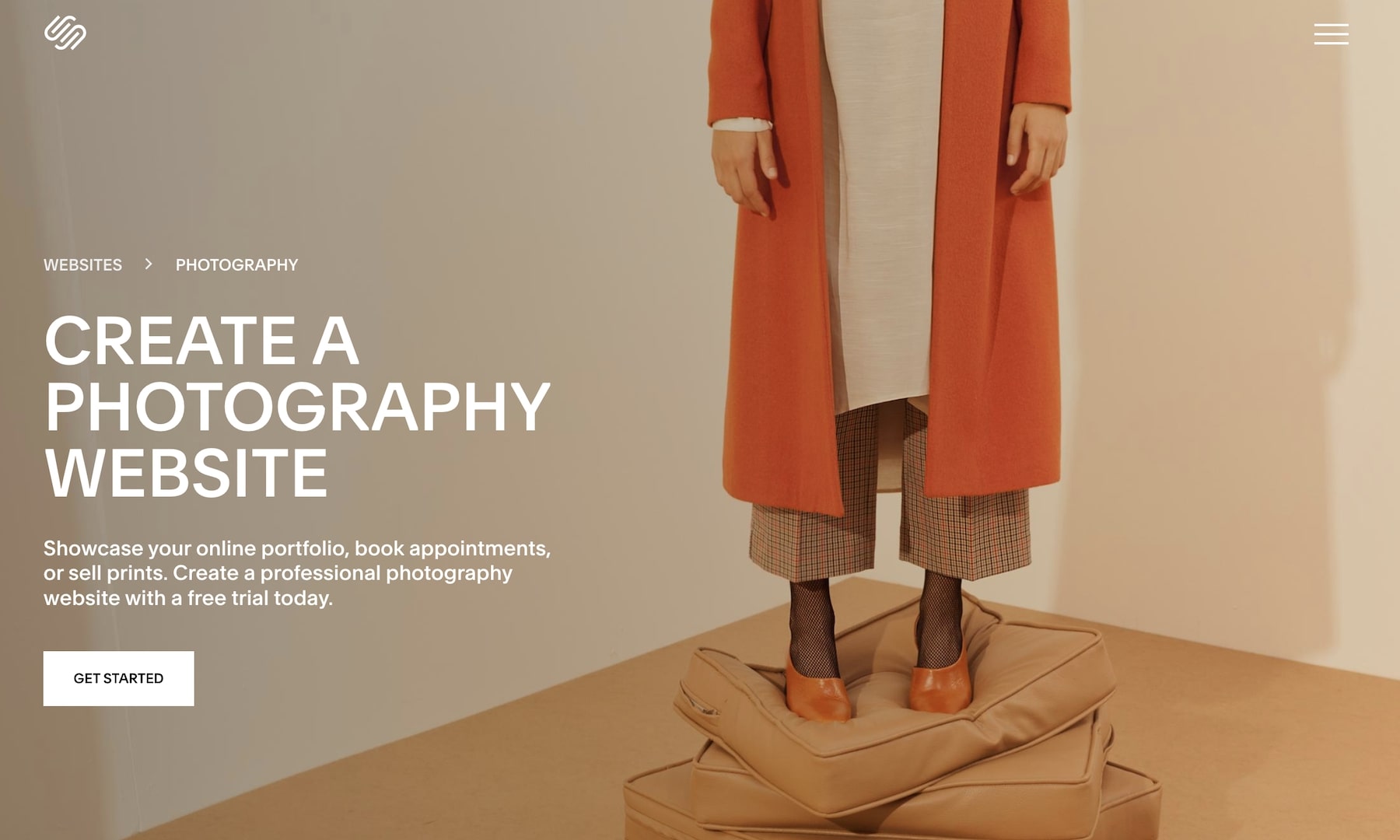
Why is Squarespace a great builder for photographers?
One thing that everyone agrees on when it comes to Squarespace is its design.
Thus, it is a top choice for photographers due to its sleek, high-quality templates.
But there’s so much more to Squarespace.
Online appointment bookings, selling prints, social media integration and the list goes on – Squarespace truly delivers and makes your lives a lot easier.
Pros:
- Over 25 modern and entirely customizable templates tailored for photographers. (Some of our favorites are Mosley, Minetta, Talva and Zion.)
- Unlimited storage on all paid plans. (Yes, really!)
- Built-in image cropping and responsive design for fast-loading galleries.
- eCommerce integration for selling prints, merch, photo sessions, and digital downloads.
- Email marketing and social media integration.
Cons:
- Slightly steeper learning curve for complete beginners.
- No free plan (only a 14-day free trial).
- Not as many third-party apps as with Wix.
Squarespace Pricing:
- Personal Plan ($16/month): Best for simple portfolio websites with basic features.
- Business Plan ($23/month): Includes advanced analytics, eCommerce tools, and promotional pop-ups.
- Basic Commerce Plan ($27/month): Designed for selling prints and digital downloads with 0% transaction fees.
- Advanced Commerce Plan ($49/month): Adds powerful eCommerce features like abandoned cart recovery and subscriptions.
If you opt for annual plans, you can score a pretty solid discount, and you also get a free domain for the first year.
Squarespace Photography Features:
- Full-screen image galleries, cool slideshows, and lightbox functionality are some of the various display options.
- You can easily password-protect any page, which is ideal for client-proofing galleries or other private work sharing.
- Automatic image resizing and cropping for optimal display across all screen sizes.
- A convenient TinyIMG extension to help reduce the file sizes of your images. (We still recommend you optimize your images for web before uploading them to your site.)
- Simplified image management with convenient editing tools.
- Integrated appointment booking for photography sessions.
We Recommend Squarespace For:
- Professionals looking for a high-end, polished design to create a visually striking website with minimal effort.
- Those who need built-in eCommerce, booking calendar, and client-proofing tools.
We Don’t Recommend Squarespace For:
- Photographers searching for a completely free website builder.
- Users who rely heavily on third-party apps and custom integrations.
3. Zenfolio (Specialized for client proofing and photo sales)
Why is Zenfolio a great builder for photographers?
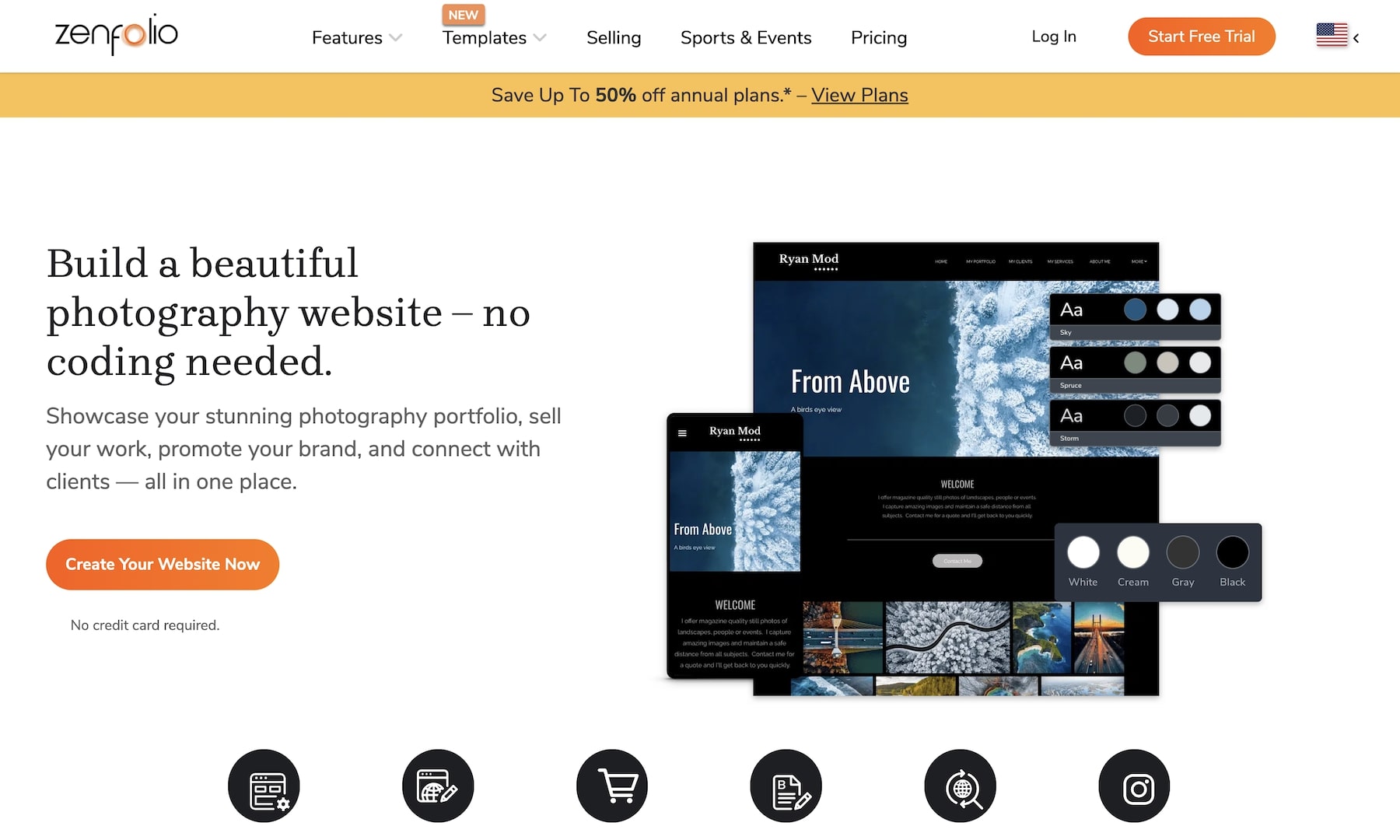
Zenfolio lives and breathes photography. It equips you with a complete solution for showcasing, marketing, and selling your photography online.
With dedicated features like smart pricing, client galleries, and automated photo culling, Zenfolio streamlines the workflow for amateur and professional photographers.
Also, its 25 ready-to-use templates and website builder allow for quick and simple customization, helping users create a stunning online portfolio effortlessly.
Pros:
- Purpose-built for photographers with industry-specific tools.
- Stunning, mobile-friendly website templates tailored for portfolios and client engagement.
- Comprehensive eCommerce features for selling prints, digital downloads, and photo sessions.
- Smart Pricing tool for automated pricing optimization.
- Online scheduling to modernize client bookings.
- Integrated marketing tools for email campaigns and promotions. (The integrated email capturer is a nice plus.)
- Advanced photo gallery options, including password-protected client galleries.
- AI-powered PhotoRefine tool for intelligent image culling and organization.
Cons:
- Limited design flexibility compared to general website builders like Squarespace or Wix.
- No free plan, only a free trial.
- It could have more templates as a photography-exclusive website builder.
Zenfolio Pricing:
- Portfolio Plan ($7/month): For photographers starting out, includes a customizable website and basic gallery features.
- PortfolioPlus Plan ($23/month): Adds eCommerce features like selling prints and digital downloads and online booking.
- ProSuite Plan ($40/month): For professional photographers with features like Smart Pricing, automated workflows, and advanced marketing tools.
Annual plans offer significant discounts; all plans come with a free trial and domain.
Zenfolio Photography Features:
- Advanced, customizable galleries with various display options and client proofing. We also like the option to choose between light and dark themes.
- Intuitive drag-and-drop website builder with stunning templates designed for photographers. What’s awesome is that you can update your design anytime.
- eCommerce integration with print labs, automated fulfillment, and digital download options. You also get some nice upselling functionality to boost revenue.
- Smart Pricing optimizes your pricing based on research, so you aren’t leaving any money on the table. You’re also welcome to create multiple price lists for different services.
- Built-in email marketing, promotional tools (coupons, banners), and social media integrations.
- AI-powered culling tool (PhotoRefine) to automatically sort and select the best images. Let the machines do the hard work for you.
- Integrated booking system for client sessions and consultations.
We Recommend Zenfolio For:
- Photographers who want a dedicated platform with built-in eCommerce and client management.
- Professionals looking for automated tools like Smart Pricing and PhotoRefine to simplify running their business.
- Those who prioritize selling prints, photo sessions, and digital downloads.
We Don’t Recommend Zenfolio For:
- Those who need more design flexibility and extensive third-party integrations.
4. Pixpa (Affordable and feature-rich for portfolios and sales)

Why is Pixpa a great builder for photographers?
Pixpa is a feature-rich website builder designed with photographers, artists, and creatives in mind.
It provides an all-in-one platform for showcasing portfolios, selling images, and managing client interactions.
Pixpa simplifies building a polished and professional photography website with a user-friendly builder, highly customizable templates, and full-blown client galleries. And it’ll never ask you for experience.
Pros:
- More than 60 astonishing, minimalist templates tailored for photography portfolios.
- Built-in client-proofing galleries with password protection – and client activity tracking.
- eCommerce integration for pushing digital and physical items.
- Affordable pricing compared to other photography-focused website builders.
- Integrated blogging and SEO tools to boost online visibility.
- All-in-one online booking and scheduling.
- Various ready-to-use marketing tools to grow your clientele and business.
Cons:
- Basic and Creator plans could have more storage.
- No free plan (only a 15-day free trial, but you cannot publish anything).
- Beginners might spend some more time getting used to working with it.
Pixpa Pricing:
- Basic Plan ($6/month): Includes a portfolio website with 200 images and basic features.
- Creator Plan ($12/month): Expands with client galleries, more storage, and image watermarks.
- Professional Plan ($18/month): Unlimited images, advanced eCommerce features, and marketing tools.
- Advanced Plan ($25/month): Includes all features with priority support and full eCommerce capabilities.
Annual plans offer (40%+) discounts and all plans come with a 15-day free trial. Every plan also has a free domain for the first year.
Pixpa Photography Features:
- Fantastic gallery capabilities to create the final presentation that’s exactly to your liking.
- Secure, password-protected galleries that allow clients to review, select, and download images. Moreover, you can also track client activity.
- Mobile-friendly client experience with sleek, personalized mobile photo albums via Pixpa’s Photo Gallery Apps.
- Sell prints, photo sessions, and digital products directly from your site. Important: no commission fees.
- Effortless booking and payments with automated confirmations and invoicing.
- Built-in SEO optimization, blogging, popups, announcement bars, and email marketing.
We Recommend Pixpa For:
- Photographers seeking an affordable yet feature-rich portfolio builder.
- Professionals who need built-in client proofing and eCommerce tools.
- Those who value SEO and marketing integrations for growing their audience.
We Don’t Recommend Pixpa For:
- Photographers seeking complete creative control with custom coding and advanced design tweaks.
5. Hostinger (Budget-friendly with AI-powered site creation)

Why is Hostinger a great builder for photographers?
Hostinger offers an affordable and easy-to-use website builder that photographers can use to quickly create an elegant, professional online presence.
We really enjoyed the presence of AI-powered tools (builder, writer, image generator, etc.), which greatly simplified our workflow.
Moreover, Hostinger also gets you responsive templates and built-in performance optimizations for a fast, visually appealing portfolio without requiring technical expertise.
Hostinger also includes marketing and AI SEO tools to help photographers attract and retain clients effortlessly.
And the pricing? Extremely affordable.
Pros:
- Budget-friendly pricing compared to other website builders.
- AI-powered tools for (the simplest) website creation.
- High-speed performance with optimized hosting.
- Very decently customizable designs for photography portfolios.
- Built-in SEO and marketing tool integration to get your business in front of more eyes.
- eCommerce functionality for selling prints, appointments, consultations, and digital downloads.
- Free domain and SSL certificate with all plans.
Cons:
- It’s not as highly customizable as some other builders.
- The Premium Plan only has an AI builder and lacks other AI tools.
- eCommerce is available on the Business Plan
- No free plan (only a free trial).
Hostinger Pricing:
- Premium Plan ($2.99/month): Includes 150 templates, marketing tools, and a free domain.
- Business Plan ($3.99/month): Expands to eCommerce features (0% transaction fees), enhanced performance, and convenient AI tools.
All plans include a 30-day money-back guarantee, so you can test Hostinger out entirely worry-free.
Hostinger Photography Features:
While Hostinger doesn’t really have photography-exclusive features, we found these highly beneficial:
- You can tell the AI what you want in a website and let it do all the hard work for you. (Or choose a portfolio template and go from there.)
- The AI writer helps you create copy for your website, your image descriptions, etc. You can even use it to create blog posts (!).
- Don’t have a logo for your photography business yet? No worries, Hostinger’s AI Logo Maker is a practical solution that gets you a logo that suits you well.
- We mentioned it earlier, but you can also integrate a full-blown online booking system into your website. It’s very easy to set up in Hostinger.
- eCommerce functionality for selling up to 500 products, with secure payments, cart and invoicing.
We Recommend Hostinger For:
- Every photographer who wants an affordable and fast website creation solution.
- Beginners who wish to use AI-powered tools for an even easier setup.
We Don’t Recommend Hostinger For:
- If you need more advanced photography features, like client proofing and gallery management, then Hostinger isn’t the best option for you.
6. Shopify (Top choice for selling photography online)

Why is Shopify a great builder for photographers?
Shopify is an excellent choice for photographers looking to monetize their work by selling prints, digital downloads, and photography services.
It allows photographers like you to build a top-class online store regardless of your skills. You get (really) powerful eCommerce tools, customizable website templates, and built-in marketing features.
Furthermore, the platform supports secure payments, inventory management, valuable marketing automation tools and SEO optimization. Shopify is built to help turn your visitors into loyal customers.
Pros:
- Robust eCommerce capabilities for selling prints and digital downloads. Services, too, but you’ll need an app for that.
- Customizable themes with mobile-friendly designs.
- Secure payment processing with multiple options.
- Comprehensive SEO and marketing suite to improve search rankings and attract more potential clients.
- Inventory and order management for physical and digital products.
- Integration with social media and (many) third-party apps.
- 24/7 customer support for troubleshooting and guidance.
Cons:
- Higher pricing compared to other website builders.
- Transaction fees.
- Only a few really good free templates. (Paid templates start at $100.)
- The default setting lacks functionality, so you must install apps/extensions.
Shopify Pricing:
- Basic Plan ($29/month): Best for new businesses, includes essential eCommerce features, two staff accounts, and basic reports.
- Shopify Plan ($89/month): Adds professional reports, five staff accounts, and better shipping discounts.
- Advanced Plan ($299/month): Ideal for scaling businesses, includes advanced reports, 15 staff accounts, and lower transaction fees.
All plans include a 3-day free trial and reduced transaction fees with Shopify Payments. After the free trial, you get a special $1 per month deal for the first three months before paying the full price.
Shopify Photography Features:
Similar to Hostinger, Shopify also doesn’t have exclusive photography features, but find the following super useful:
- Fully customizable store templates.
- Secure online payments and checkout.
- Digital product sales for high-resolution downloads.
- Integrated marketing tools like SEO, email campaigns, and social media promotions.
- Mobile-responsive design for fluid online shopping on any device.
- Automated inventory and order management.
- Blogging capabilities to share photography stories and attract organic traffic.
We Recommend Shopify For:
- Photographers who want to sell prints, digital downloads, or photography services.
- Businesses looking for a scalable eCommerce platform with secure payment options and marketing automation.
We Don’t Recommend Shopify For:
- Photographers who primarily need a portfolio site without eCommerce functionality.
- Users in the market for a budget-friendly website builder with no additional transaction costs.
Photography Website Builders: Compared
| Feature | Wix | Squarespace | Zenfolio | Pixpa | Hostinger | Shopify |
|---|---|---|---|---|---|---|
| Free customdomain | Yes | Yes | Yes | Yes | Yes | Yes |
| Storage | 2 GB+ | Unlimited | 15 GB+ | 3 GB+ | 5 GB+ | Unlimited |
| Photography-specific features | Yes | Yes | Yes | Yes | No | No |
| Free templates | Yes | Yes | Yes | Yes | Yes | Yes (but few) |
| eCommerce | Yes (but not on all plans) | Yes (but not on all plans) | Yes (but not on all plans) | Yes | Yes (but not on all plans) | Yes |
| SEO & marketing tools | Yes | Yes | Yes | Yes | Yes | Yes |
| Best for | Versatile photographers | High-end portfolios | Client proofing & sales | Affordable all-in-one | Budget-friendly websites | Selling photography items |
| Our rating | 4.9 | 4.7 | 4.6 | 4.6 | 4.5 | 4.5 |
| Pricing | $17+/month | $16+/month | $7+/month | $6+/month | $2.99+/month | $29+/month |
How To Choose The Right Photography Website Builder
Although we’ve narrowed down the final choice of website builders to six, you might still not be sure which to opt for.
That’s OK, here are a few more tips to make the right final decision.
1. Define Your Purpose
This is the most crucial thing to consider before choosing a platform.
What do you really need?
Are you looking to showcase your magnificent portfolio, sell prints and digital downloads, or offer client-proofing galleries?
Examples:
- For versatility: Wix is the best all-in-one solution that sorts out a little bit of everything.
- For gorgeous portfolios: Squarespace is known for its outstanding templates that suit photographers who prioritize aesthetics.
- For client proofing & sales: Zenfolio is for photographers who work with clients and need secure proofing galleries.
2. Consider Ease Of Use
If you prefer a simple drag-and-drop editor, go for platforms like Wix, Squarespace, or Hostinger (hey, AI!).
Even if you’re unfamiliar with any of this, you’ll still get the ball rolling like a champ with these three.
3. Look For Photography-Specific Features
Not all website builders cater specifically to photographers.
If you need features like client galleries, watermarking, or automated pricing, Zenfolio and Pixpa take things to the next level.
4. eCommerce Capabilities
Selling your work online?
Shopify is the best option for building an online store with advanced eCommerce features.
Wix and Squarespace provide excellent eCommerce tools for photographers looking to sell their work.
Moroever, Pixpa and Zenfolio offer specialized sales features like client-proofing galleries and automated fulfillment services.
5. SEO & Marketing Tools
Your photography website needs to be discoverable. Period.
Look for platforms with built-in SEO tools, blogging capabilities, and social media integrations.
Wix, Squarespace, and Shopify excel in this area.
6. Budget Considerations
Each builder offers different pricing plans.
If you’re on a tight budget, Hostinger provides an affordable option, while Pixpa offers an excellent balance between cost and features.
If budget isn’t an issue, Squarespace and Shopify provide premium features that are worth the investment.
The best website builder for your photography needs depends on what you prioritize.
Choose wisely based on your goals; that’s all that matters.
But know this, no matter which builder you pick from the above list, you’ll create a professional photography website that strengthens your brand and business.
What’s even cooler is that many popular photography websites use DIY website builders.
How We Tested Photography Website Builders
We thoroughly tested each photography website builder based on the following key factors.
Why?
It’s simple – to ensure we’re recommending only the best.
Here’s what we looked in every builder, so you don’t have to:
- Ease of use: A great website builder should be intuitive, even for those with little to no technical skills. No coding skills? No probs! That’s why we tested every builder as if we were complete beginners.
- Design and templates: We examined all the so-called “professional-looking” templates to ensure they deliver on their promises.
- Performance & speed: Fast-loading pages are crucial for a top-notch user experience and SEO ranking. We used both Pingdom Tools and PageSpeed Insights to see how fast a photography website built with each builder performs.
- Customization options: Does the builder allow you to tweak layouts, fonts, and colors to match your unique brand? What about uploading a logo? We tested it all.
- SEO & marketing features: Built-in marketing tools to attract more visitors and clients are a must so you don’t stress over how to promote your photography website.
- eCommerce capabilities: Many photographers sell prints or services, so our testing procedure also carefully studied each builder’s online selling capabilities.
- Mobile responsiveness: If we noticed even the smallest glitch in mobile performance, we eliminated the builder from the final list. We only included those builders whose sites look and perform at the highest degree on all devices, from desktops to smartphones.
- Pricing & value: We asked ourselves a simple question – does the builder provide real value for the money? We compared features, performance, and pricing to ensure photographers get the best return on investment.
- Customer support: We evaluated the reliability and helpfulness of customer support for troubleshooting and assistance. It was also crucial for us to get a response as quickly as possible.
By testing each builder against these factors, we’ve narrowed down the best options for photographers
Conclusion: Why Wix Is Our Top Pick For Photographers
Wix is our best website builder for photographers pick because it offers the perfect balance of ease of use, design flexibility, and impressive features.
For instance, you can do a bunch of stuff with Wix, such as display your portfolio, sell prints and manage (private) client galleries. And yes, you can even offer online bookings!
Here’s why we recommend it:
- Attractive templates for photographers, fully customizable to match your style.
- Drag-and-drop builder for anyone to create a professional website without writing a single line of code.
- Built-in SEO and marketing tools to attract visitors and grow your audience.
- eCommerce features to sell prints, digital downloads, and photography services (appointments, bookings) seamlessly.
- Client-proofing galleries to share work privately and get client feedback.
- Affordable pricing with great value for the included features.
Wix is the all-in-one solution that simplifies website creation while giving photographers the tools they need to succeed.
FAQs About Photography Website Builders
What is the best website builder for photographers?
The best website builder depends on your needs. Squarespace and Wix offer stunning designs, while Pixpa and Zenfolio cater specifically to photographers. Moreover, Hostinger is very affordable, but if you plan to sell stuff online, then Shopify is your go-to.
Do I need coding skills to create a photography website?
No. Most website builders provide drag-and-drop tools and easy customization without requiring coding knowledge.
How much does a photography website builder cost?
Most plans cost $3 to 29 per month, depending on features such as storage and e‑commerce. Below is a detailed photography website cost breakdown comparing DIY sites with those built by professionals.
Can I sell my photos through a website builder?
Yes. Many platforms offer built-in eCommerce features, allowing you to sell prints, digital downloads, and even book sessions online.
Will my photography website look good on mobile devices?
Yes. The best builders ensure mobile responsiveness so your site looks professional on all screen sizes.
Which photography website builder is best for SEO?
Wix and Squarespace provide excellent SEO tools to help your photography site rank higher on search engines.
How much storage do I need for my photography website?
If you upload high-resolution images, choose a plan with at least 10GB of storage. In general, the more storage, the better.
Can I use my own domain name?
Yes. Most website builders allow you to connect a custom domain or purchase one directly through their platform. (Hint: Many offer a free domain for the first year.)
How do I protect my photos from being stolen?
You can add watermarks, disable right-click downloads, and use image protection features available in some website builders.
What if I need help setting up my photography site?
Many builders offer customer support via live chat, email, and tutorials to assist you every step of the way.